We’ve all been there forgetting a password at the worst possible moment, right when you need to check your account or place a trade. Thankfully, resetting your password on Deriv is a quick and simple process designed to get you back into your account securely, without unnecessary hassle. In this guide, we’ll walk you through exactly how to reset your password on Deriv, step by step, so you can regain access to your account in just a few minutes. CISA, which is short for Cybersecurity and Infrastructure Security Agency, is a good platform to learn more about how you can secure or protect your account from third party users.
If you have not yet setup a Deriv Account you can do that here. In another article we cover How to create a Deriv Account. It is a step by step guide that will help you to quickly setup your Deriv account.
Step 1: Go to the Deriv Login Page
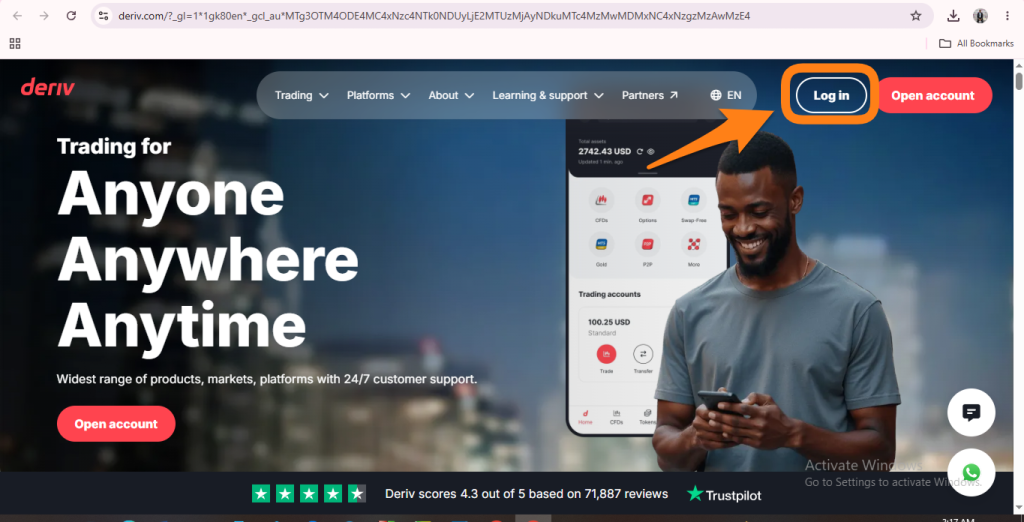
Open your browser and type in deriv.com. Click “Log in” in the top right corner which opens the login screen.
Step 2: Click “Forgot Password?”
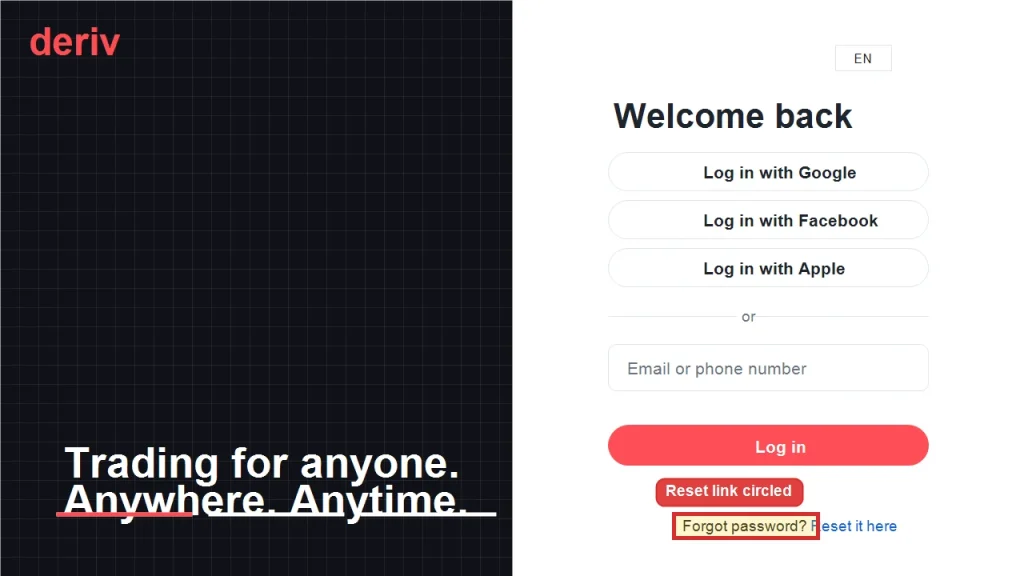
Enter the email address associated with your Deriv account. Click login and get redirected to the page where you must enter your password. Right underneath the password field, click the “Forgot password?” link. This gets you started with the Deriv password reset process.

Step 3: Receive a 6-digit code
For your next step you will see a page with an instruction to check your email containing a 6-digit code. Right underneath the notification there is a field to enter a code.
Step 4: Check Your Inbox for a one-time code
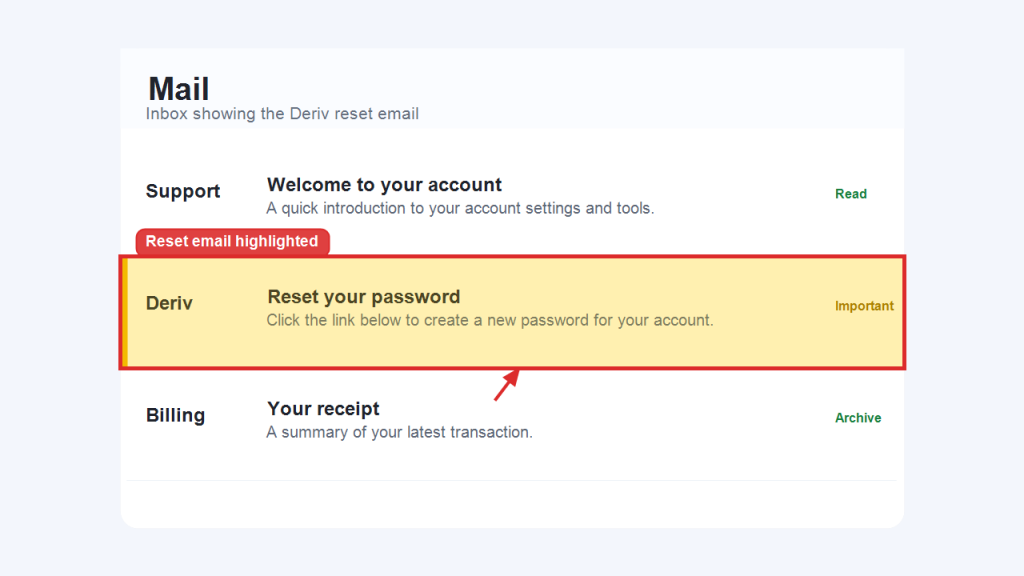
Right after that step, Deriv will send you a one-time code to reset email password within a few seconds. Open the email and you will find the number as seen below. If you do not see the email you can check your spam or junk folder. In the case you do not find it, request for a resend.
Step 5: Create a New Password
Copy the one-time code sent to you and enter it in the provided field. You will be redirected to the page where you can create a new password. Make sure you pick a strong password to ensure your account’s safety. Make it a combination of upper and lower case letters, numbers, and symbols. These always work best. Type it in and click “Reset Password”.

Step 6: Log In With Your New Password
You can now head back to the Deriv login page and sign in using your email and the new password that you just created.
You’re Back In
Just like that you are back in. That’s it. Your Deriv account is accessible again with your new password. Please note your main account password automatically becomes your MT5 password. It changes all the other MT5 passwords. So if you have MT5 accounts linked, these will be affected. Your MT5 password will always be updating accordingly and it will change with this reset.
In another article we cover How to deposit money into your Deriv.
Deriv has a growing community of Deriv Partners. These are traders and non-traders who are partnering with Deriv to bring new traders on board. This is one of the easiest ways to make additional income through Deriv. For anyone interested in helping others get on board, this is a perfect fit.

FAQ: Resetting Your Deriv Password
What if I don’t receive the Deriv password reset email? Check your spam or junk folder first. If it’s still not there after a few minutes, make sure you entered the correct registered email and try again.
Does resetting my Deriv password also reset my MT5 password? No. Your Deriv account password and your MT5 password are separate, so resetting one doesn’t change the other.
Can I reset my Deriv password from the mobile app? Yes, the same “Forgot password?” option is available on the Deriv mobile app login screen and follows the same steps.
How often should I change my Deriv password? There’s no fixed rule, but it’s good practice to update it periodically or immediately if you suspect any unauthorized access to your account.