Building your first bot is less intimidating than the interface first suggests. You’re essentially answering a series of if-this-then-that questions. Things like entry condition, trade type, stake, exit condition then connecting the blocks in order. Start simple before you start ambitious; a basic bot that works beats a complex one that doesn’t. Here’s the build process from a blank canvas to a running strategy. Deriv Bot uses a block-based system that lets you build a strategy without writing code. Deriv’s step-by-step guide to creating a basic trading bot explains how to configure the required blocks and run your first personalised strategy in more detail. In this guide we will keep it very basic.
Before you read further do make sure you have a Deriv account.
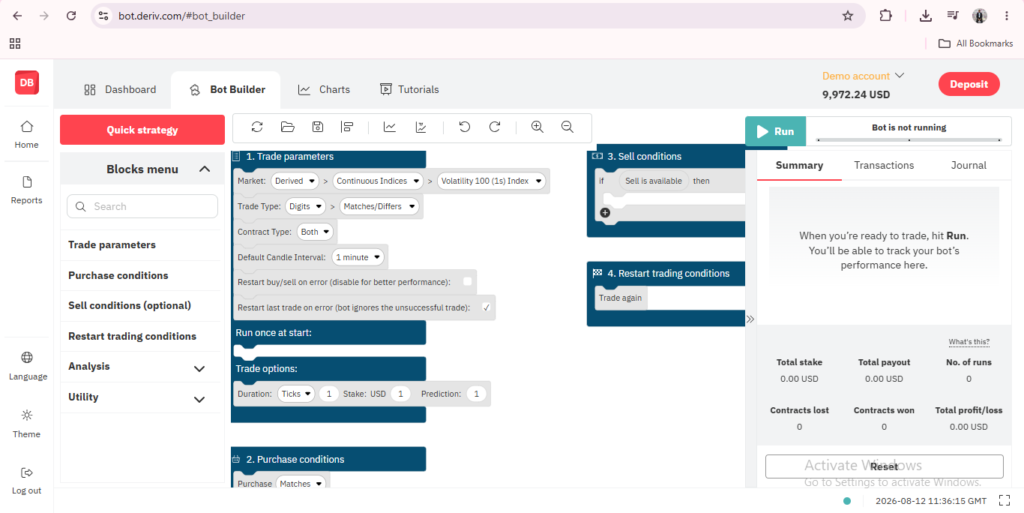
Step 1: Open Deriv Bot From Trader’s Hub
Log into Deriv, go to Trader’s Hub, and click into Deriv Bot to open the workspace.

Step 2: Explore the Block Palette
On the side of the screen, you’ll find a palette of blocks grouped by category, such as trade parameters, conditions, and market data.

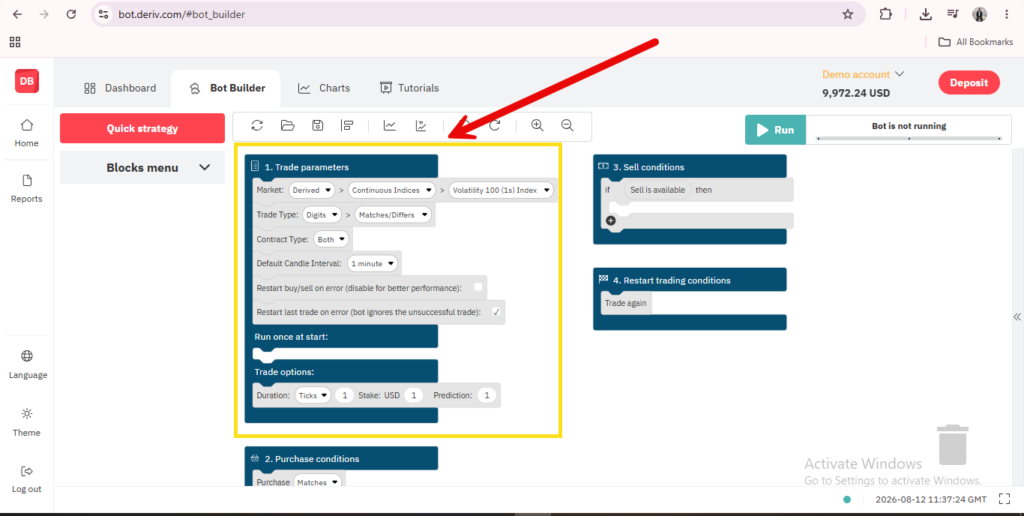
Step 3: Drag In Your Trade Parameters Block
Start by placing a block that sets your basic trade parameters, such as market, trade type, and stake.

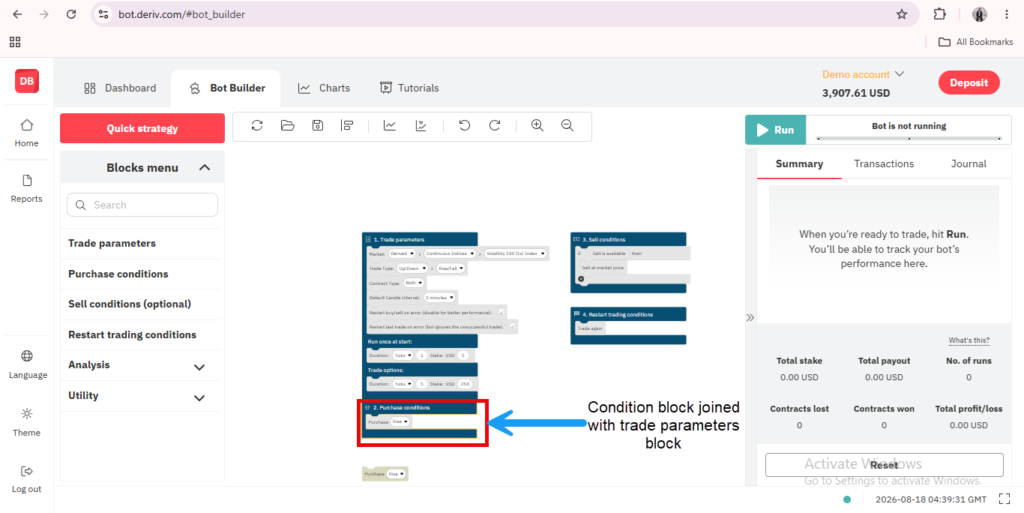
Step 4: Add a Condition Block
Connect a condition block that determines when the bot should act, such as checking a specific price movement or market state.
Step 5: Connect an Action Block
Add a block that tells the bot what to actually do once the condition is met, such as placing a trade.
Step 6: Run the Bot in Demo Mode First
Before using real funds, switch to a demo account and click “Run” to see how your bot behaves in practice.

Reviewing and Adjusting
Watch how the bot executes based on your blocks, and adjust the connections or parameters as needed before considering a real account. For a broader understanding of what Deriv Bot actually does, our guide on What Is Deriv Bot covers the platform itself in more depth.
Building a bot takes some trial and error, but there’s a far simpler way to generate income from Deriv that doesn’t involve any blocks or conditions at all. It’s explained here.
FAQ: Creating a Trading Bot on Deriv
Do I need to understand coding logic to build a bot? No, the block-based system is designed to represent logic visually, without needing traditional programming knowledge.
Can I test my bot without risking real money? Yes, running your bot on a demo account first is strongly recommended before using a real one.
Can I edit a bot after it’s been created? Yes, you can rearrange, add, or remove blocks at any time to adjust the structure.
Where can I save my bot once it’s built? Strategies can be saved to your device or to Google Drive for later use.