Deriv’s multi-wallet system lets you organize your funds by currency, purpose, or platform, but that flexibility only pays off if you know how to move between wallets smoothly. You can either be topping up your trading account from your main wallet or shifting funds between different currency wallets, switching between them is designed to be quick and seamless. In this guide, we’ll walk you through exactly how to switch between wallets on Deriv, step by step, so you can manage your funds exactly where you need them.
If you’re new to digital assets and you want to understand wallets beyond Deriv, Fidelity’s guide to crypto wallets offers a simple explanation of how wallets work and why they’re an essential part of managing funds either as fiat or crypto.
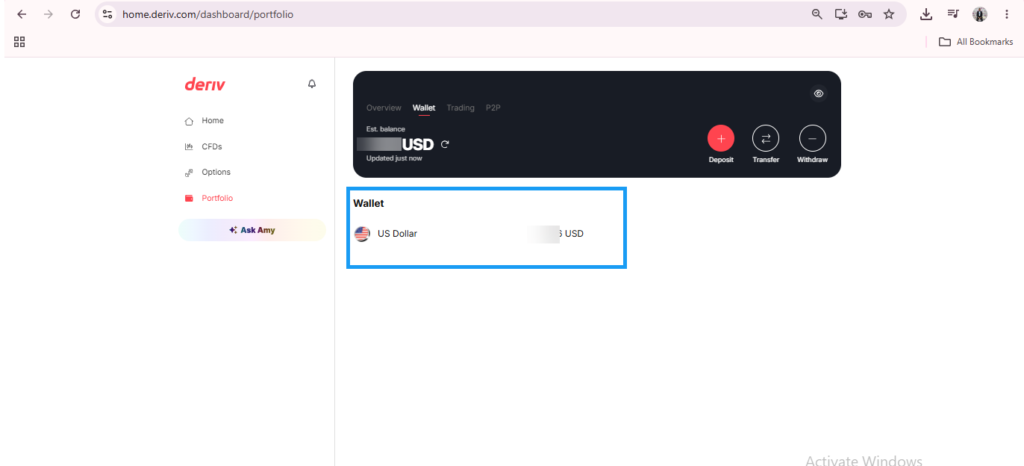
Step 1: Open Your Wallets
Log into Deriv and click the wallet option, which is found in the portfolio section on your dashboard, to open your Wallets overview.
Step 2: View All Your Wallets in One List
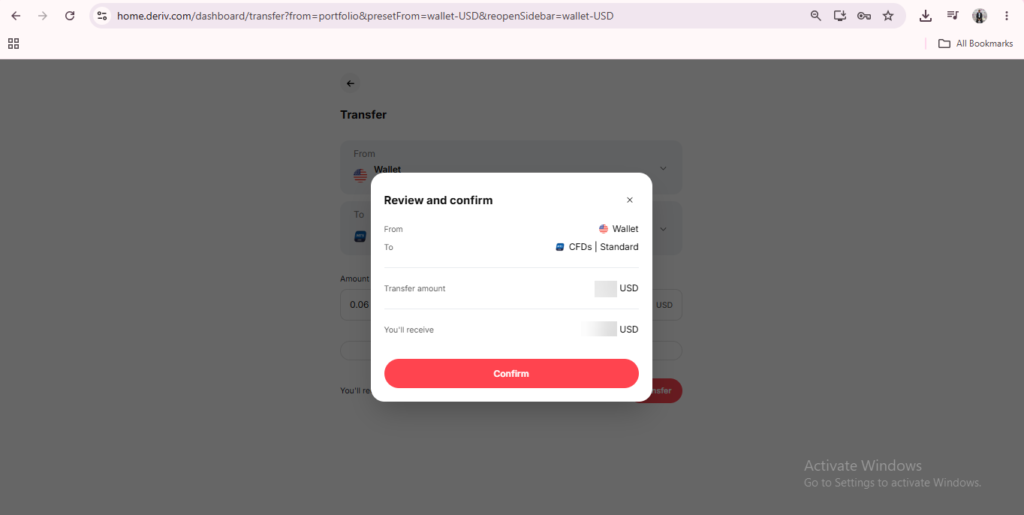
Every Wallet you’ve set up, whether fiat currencies like USD or crypto like USDT, appears listed here with its individual balance. When you have not yet used any of your crypto wallets they will not appear in your wallet area. However you can still see them as options when you attempt to transfer as can be seen below.
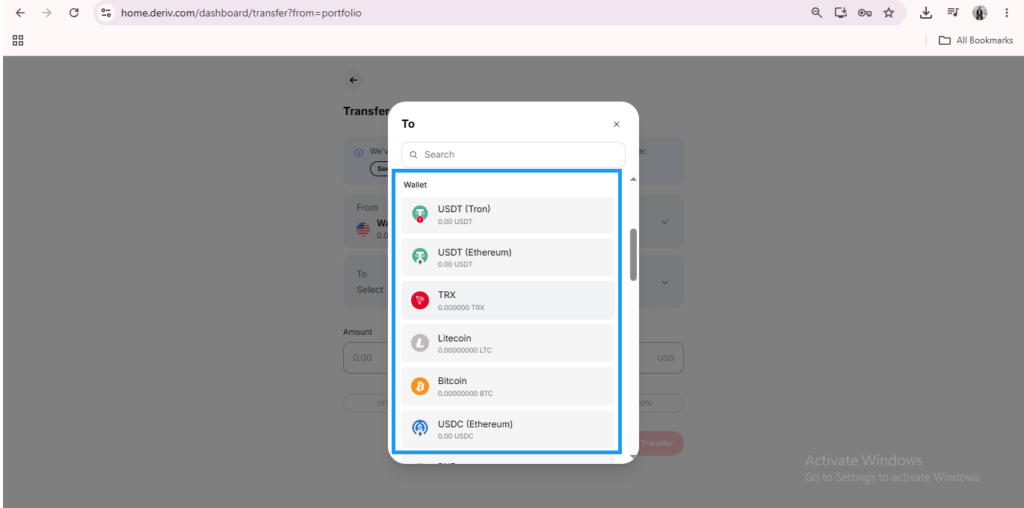
Step 3: Select the Wallet You Want to Use
Click on a specific Wallet to open it directly. This becomes your active Wallet for deposits, withdrawals, or transfers until you switch again.
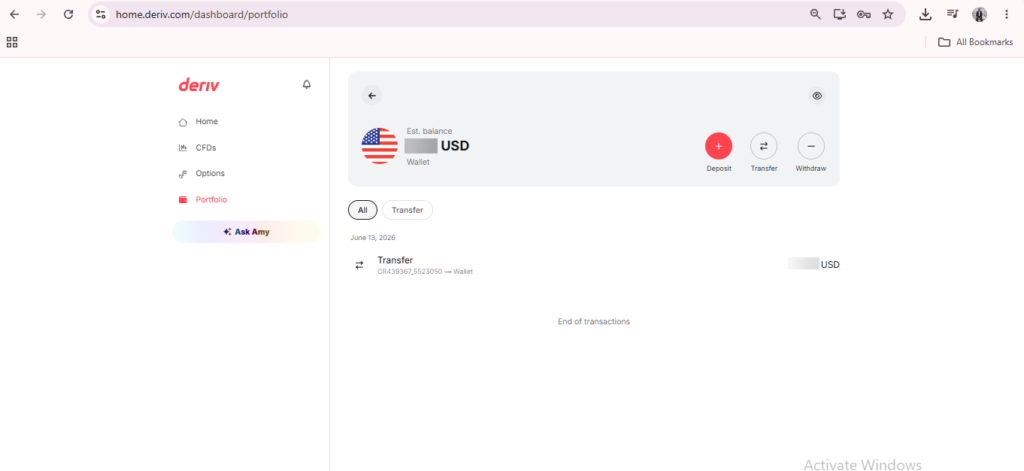

Step 4: Transfer Between Wallets If Needed
If you want to move funds from one Wallet to another, such as converting a portion of your USD Wallet into a crypto Wallet, use the transfer option within the Wallet screen.
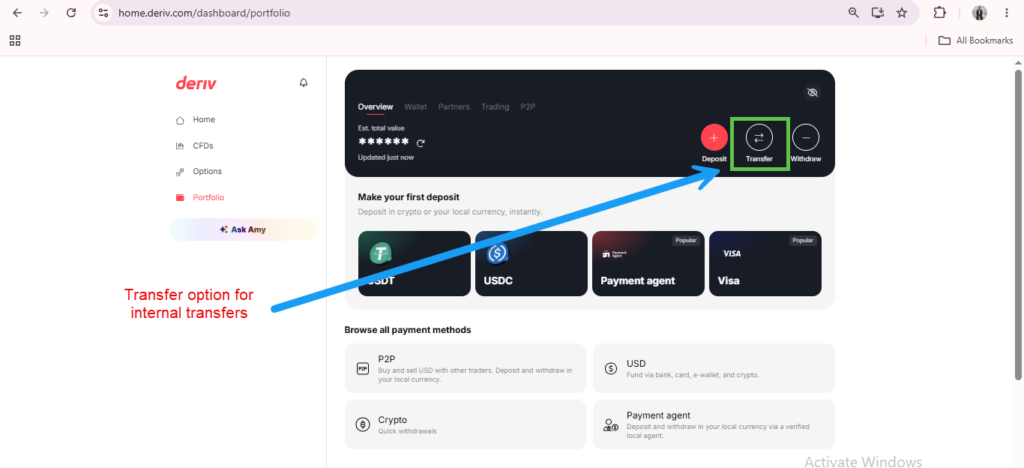
Step 5: Confirm You’re Using the Right Wallet Before Trading
Before depositing or transferring into a trading account like MT5, double-check which Wallet is active, since funds move from a specific Wallet rather than one combined balance. Our guide on How to Deposit Money into Deriv covers this connection in more detail.
If you’re just getting used to how Deriv’s Wallet system works as a new trader, this guide from The Forex Affiliate covers the basics alongside account setup.

Wallets are the kind of feature that sound simple until you actually need to move funds between two account types on the fly, and that’s usually the moment people either get frustrated or get impressed, depending on how smooth it is. Deriv leans toward impressed, which is exactly the sort of thing that sticks with people when they’re deciding whether to trust a recommendation. If you’re already in a position where people take your word on stuff like this, there’s a version of this where you’re getting paid for that trust instead of giving it away for free. And if that whole world is new to you, this lays out how to actually get started with it.
FAQ: Switching Between Wallets on Deriv
Can I hold Wallets in more than one currency at the same time? Yes, Deriv supports multiple Wallets, including different fiat currencies and crypto, all visible from the same overview.
Do I need a separate Wallet for each cryptocurrency? Generally yes, since each crypto Wallet is currency-specific, similar to fiat Wallets.
Can I transfer funds directly between two Wallets? Yes, most Wallet pairs support direct transfers, though availability can depend on your account type and region.
Which Wallet funds my MT5 account? Whichever Wallet you actively transfer from — MT5 doesn’t hold its own balance, but pulls funds through a transfer from a selected Wallet.