Your email address on Deriv is more than just a contact detail. It is tied to your account security, login access, and important notifications about your trades and funds. Whether you’ve switched providers or simply want to update to a more secure email, Deriv makes the process straightforward once you know the steps involved. In this guide, we’ll walk you through exactly how to change your email on Deriv, step by step, so your account stays accurate and secure. The Cybersecurity and Infrastructure Security Agency shows you more ways to keep your account secure.
If you still need to set up a Deriv account first, create a Deriv account before you begin. You may also be interested in knowing How to change your phone number on Deriv.
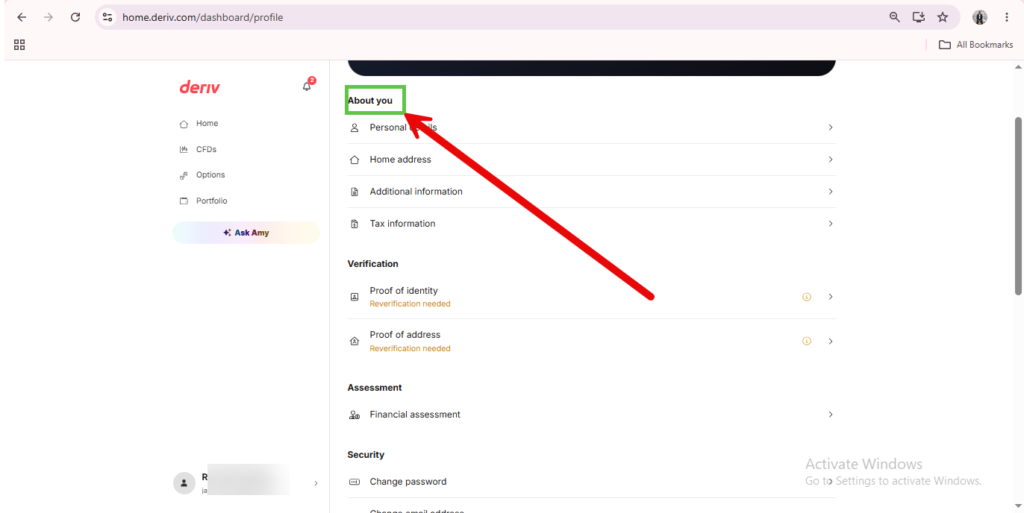
Step 1: Go to Account Settings
Log into your Deriv account and click on your profile where your name and appears in the bottom left corner. It will open the about you section.
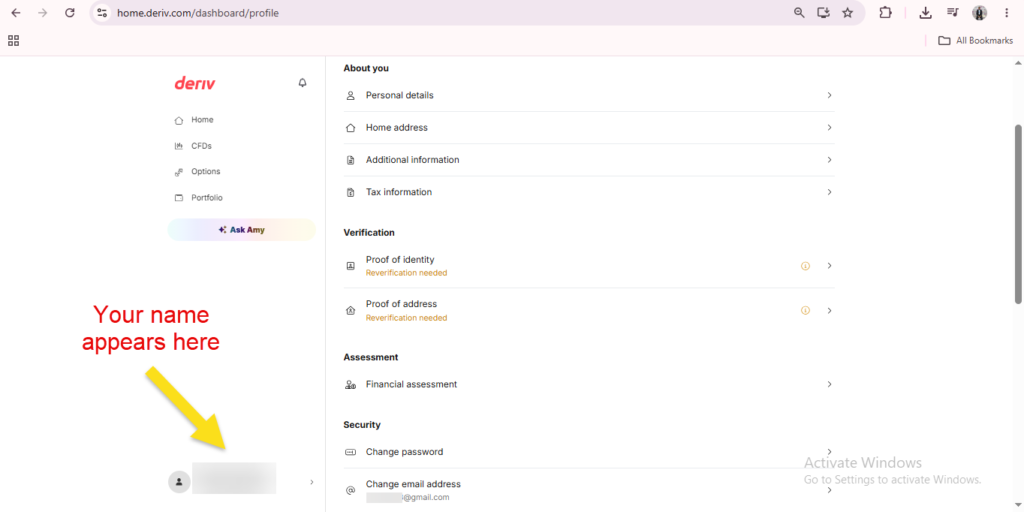
Step 2: Find the Email Address Section
Under “About you”, look for the “change email address” section, where your current registered email is displayed.
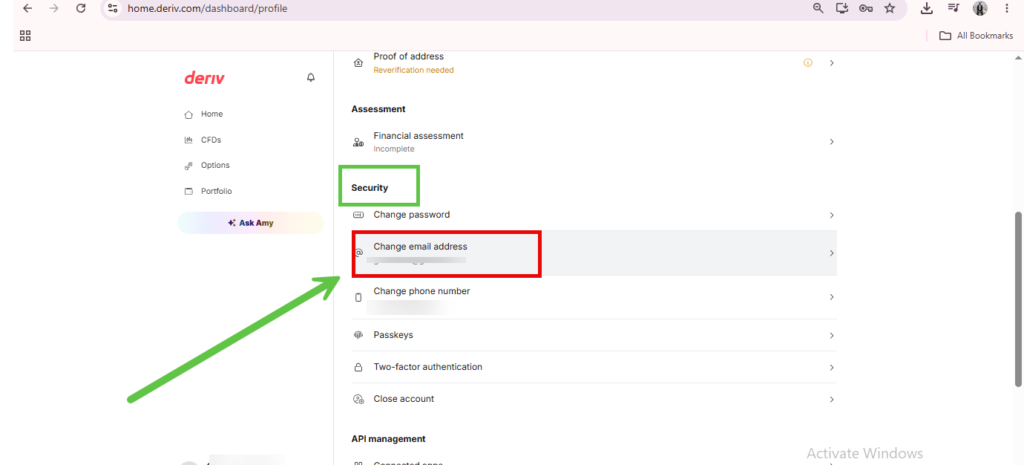
Step 3: Click on “change email address”
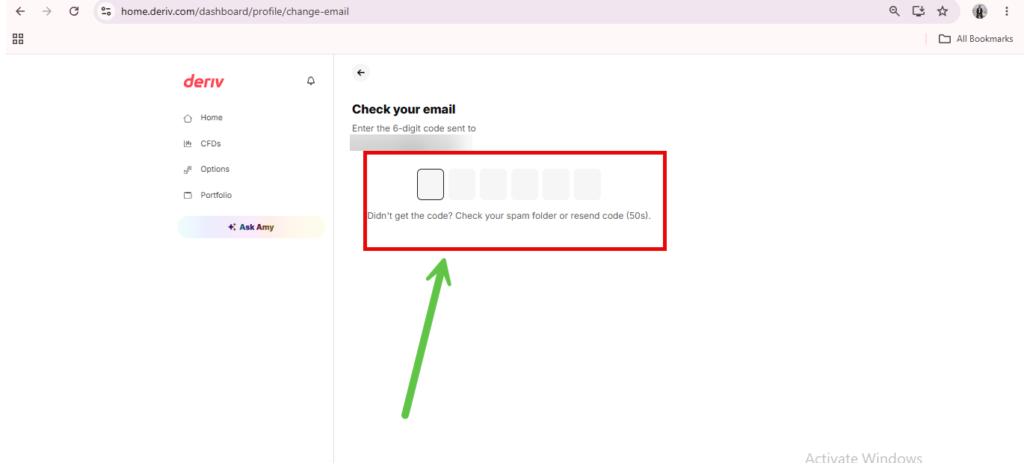
After clicking on change email address you will be redirected to the screen like the one below. On this screen you will find an instruction to enter the 6 digit code that has been sent to your current email address. Open your email inbox to find it. If you can not find it look in your spam folder. If you’re new to the platform and still getting familiar with account settings generally, How to Create a Deriv Account is a useful reference for new traders navigating Deriv’s account setup.
Step 4: Enter confirmation code
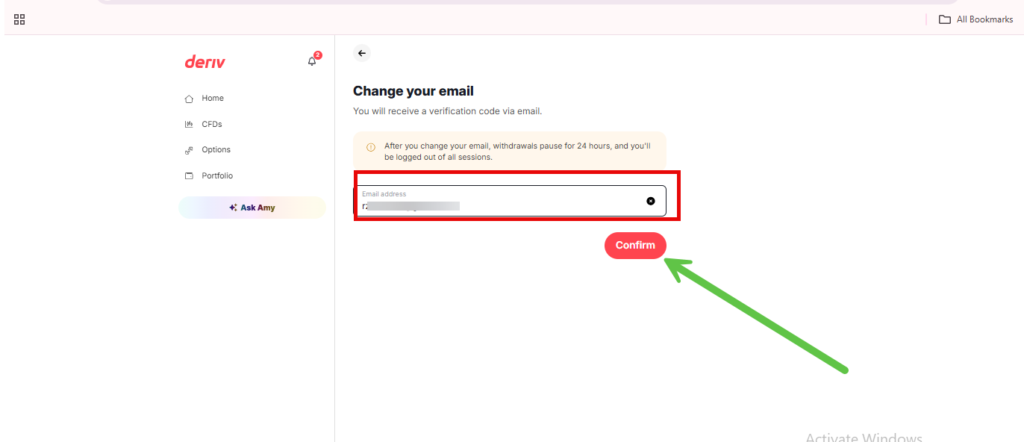
Enter the confirmation code that you received in your email inbox and you will be redirected to the screen below. There is an email field where you must put your new email address. Type in your new email address and click “confirm”. If you want a fuller walkthrough of the verification side of account management, see How to Verify Your Deriv Account.
Step 5: New Email Address Updated
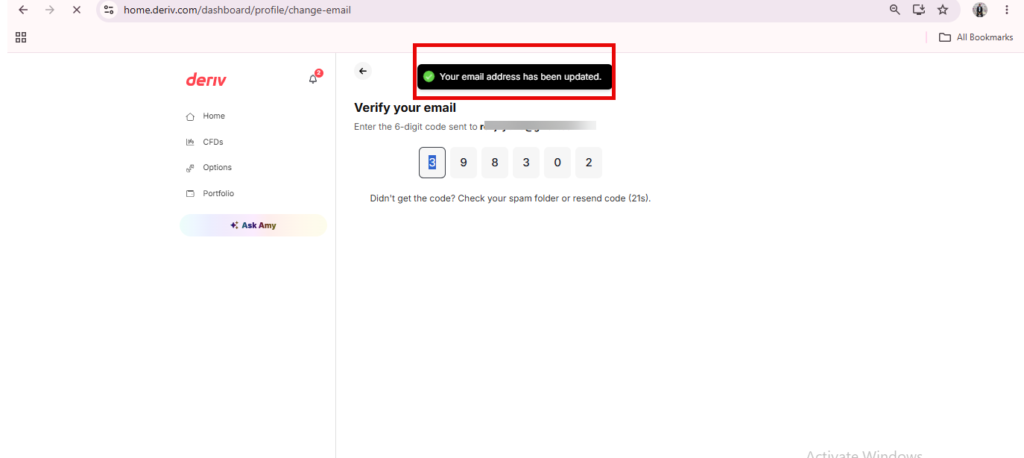
Once you have confirmed the new email address you will receive yet another confirmation code and this time it goes to your new email address. After entering the code you will receive confirmation from Deriv that your email has been updated as can be seen below.
Step 6: Log In Using Your New Email
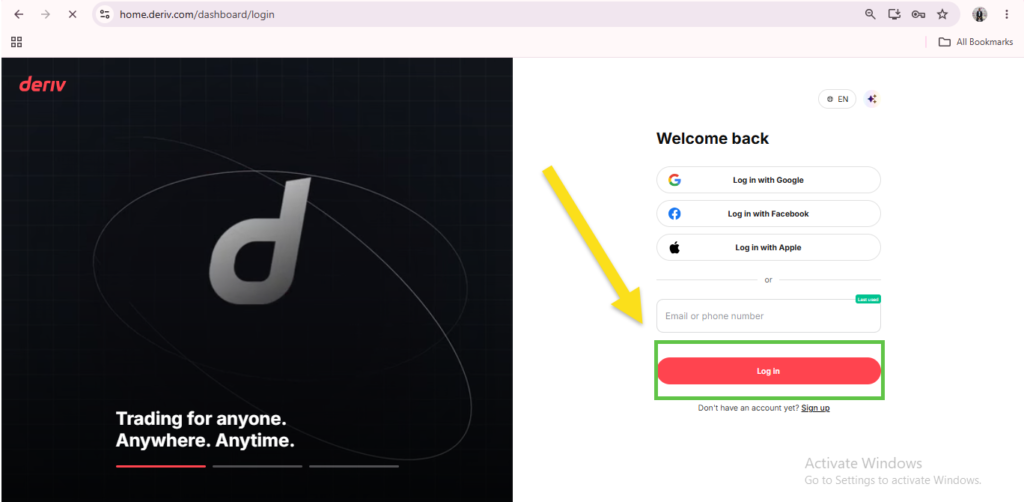
Once the change is confirmed, use your new email address (along with your existing password) the next time you log into Deriv.
Email Updated
That’s the full process for changing your registered email on Deriv. Since it goes through support rather than a simple settings toggle, it’s worth allowing a little extra time compared to other account changes.
Looking at Deriv From a Different Angle
Once your own account details are sorted, some people start looking at Deriv as more than just a trading platform – exploring ways to earn by introducing others to it. Deriv runs its own Partners program, which lets you earn through referrals rather than trading directly.
For anyone wanting to build a broader online income through affiliate marketing more generally, Wealthy Affiliate is designed specifically to teach beginners the fundamentals of building an affiliate marketing business from the ground up.

FAQ: Changing Your Email on Deriv
Can I change my Deriv email address myself in Account Settings? Generally, no. Email changes are treated as security-sensitive and usually need to go through Deriv support rather than a self-service option.
Do I need to verify my new email address? Yes, Deriv typically sends a confirmation link to the new email address before the change is finalized.
Will changing my email affect my MT5 login? No, your MT5 login details are separate from your Deriv account email, so an email change won’t affect MT5 access.
How long does it take Deriv to process an email change? This depends on identity verification and support response times, but it’s generally handled within a short period once your identity is confirmed.