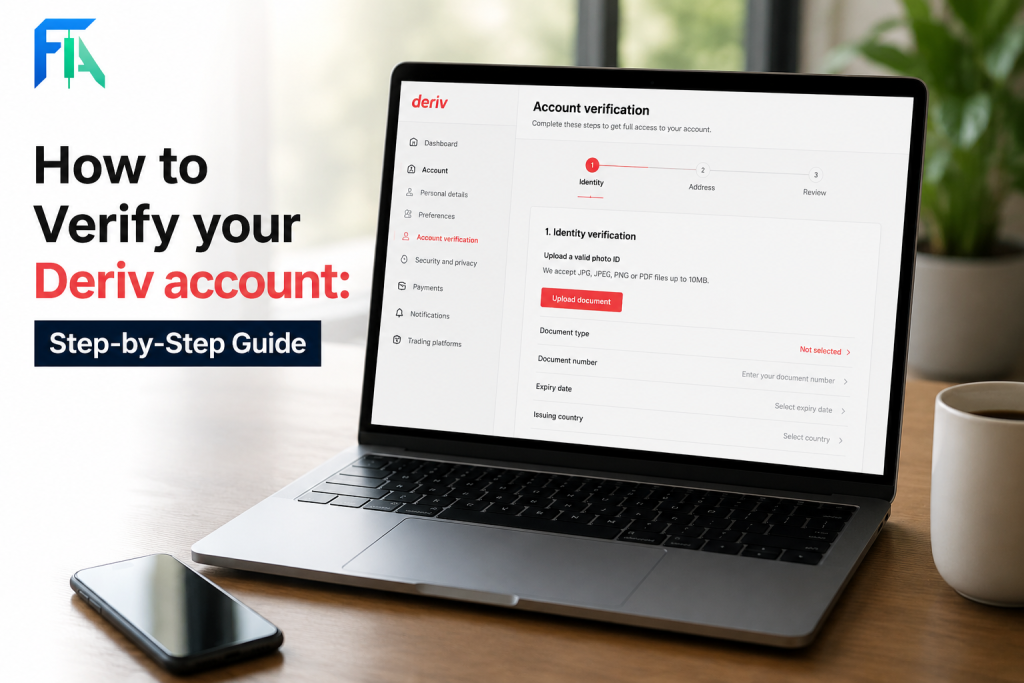
Getting your Deriv account verified doesn’t have to be confusing as long as you know exactly which documents are accepted. Whether you’re confirming your identity, proving your address, or explaining the source of your funds, having the right paperwork ready the first time can save you days of back-and-forth with support. In this guide, we’ve put together a complete list of documents accepted for Deriv account verification, broken down by category, so you can get everything sorted in one go. There are various regulating bodies that operate in different countries and regions. For instance South Africa uses the Financial Sector Conduct Authority while the United Kingdom uses the UK Financial Conduct Authority You can find out about you country’s regulator and educate yourself more on how they operate in your area.
If your profile details need a refresh first, see How to Update Your Personal Details on Deriv and How to Contact Deriv Support. If you have never created a Deriv Account you can do so here.
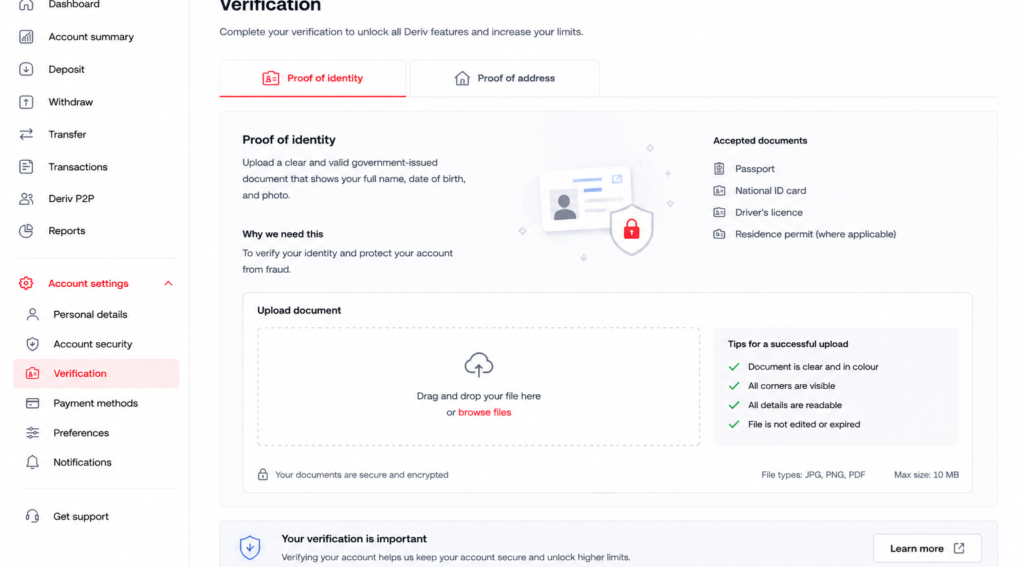
Proof of Identity Documents
Deriv accepts any one of the following to confirm your identity:
National ID card. Both sides may be required, showing your photo and details clearly
Passport with the photo page showing your name, date of birth, and expiry date
Driving licence that is valid and not expired, with your photo and details visible

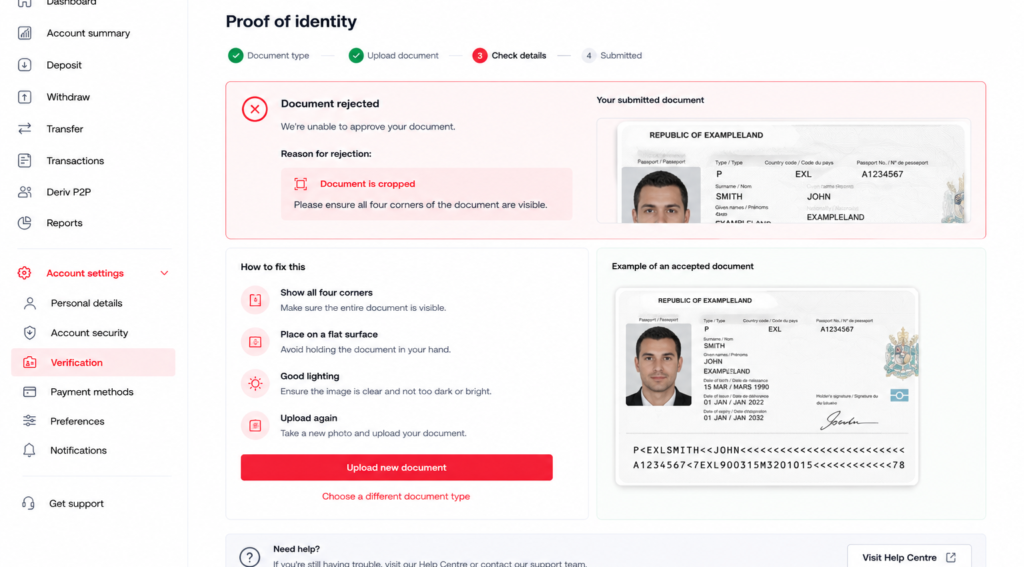
Whichever document you choose, make sure it’s still valid and all four corners are visible in the photo. If you’re setting up your account for the first time and want a broader walkthrough of the whole process, this guide from The Forex Affiliate covers account creation and verification together for new traders.
Proof of Address Documents
For proof of address, Deriv typically accepts:
Utility bill – electricity, water, or similar, dated within the last six months
Bank statement – showing your name and current address
Government-issued letter – such as a tax or municipal document confirming your address
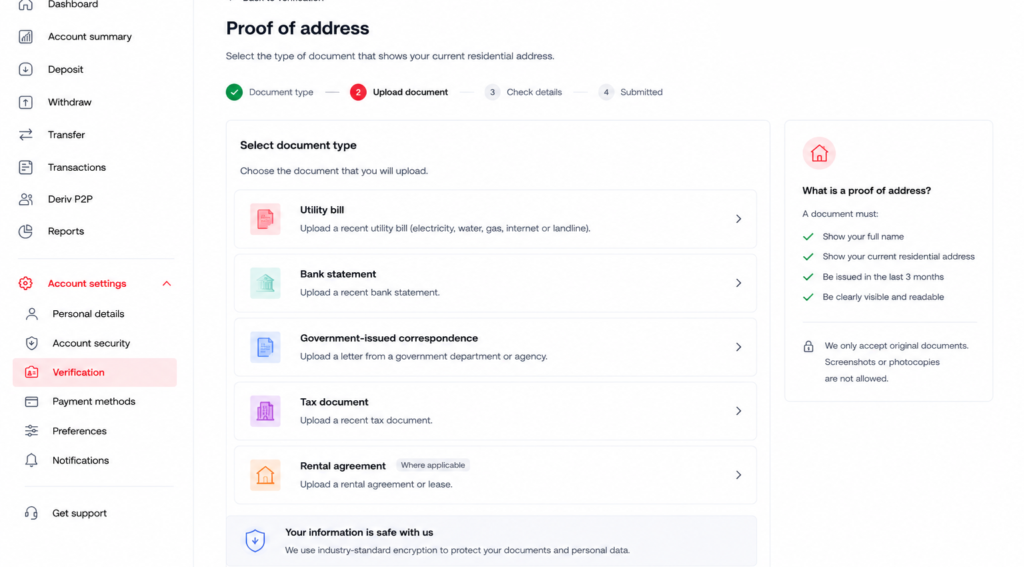
The document needs to clearly show your full name and address, and match the details on your Deriv account. Mobile phone bills and documents older than six months are usually not accepted.
Source of Funds Documents (If Requested)
For certain account activity, usually tied to larger transaction volumes, Deriv may ask for documents confirming where your funds come from. This can include:
Payslips
Bank statements showing deposit history
Tax returns, in some cases

Not every account will be asked for this, but it’s worth knowing it’s a standard part of Deriv’s compliance process rather than something specific to your account.
What Won’t Be Accepted
A few document types are commonly rejected, including:
Expired IDs or passports
Blurry, cropped, or edited photos
Documents issued in someone else’s name
Address documents older than six months
Where to Upload Your Documents
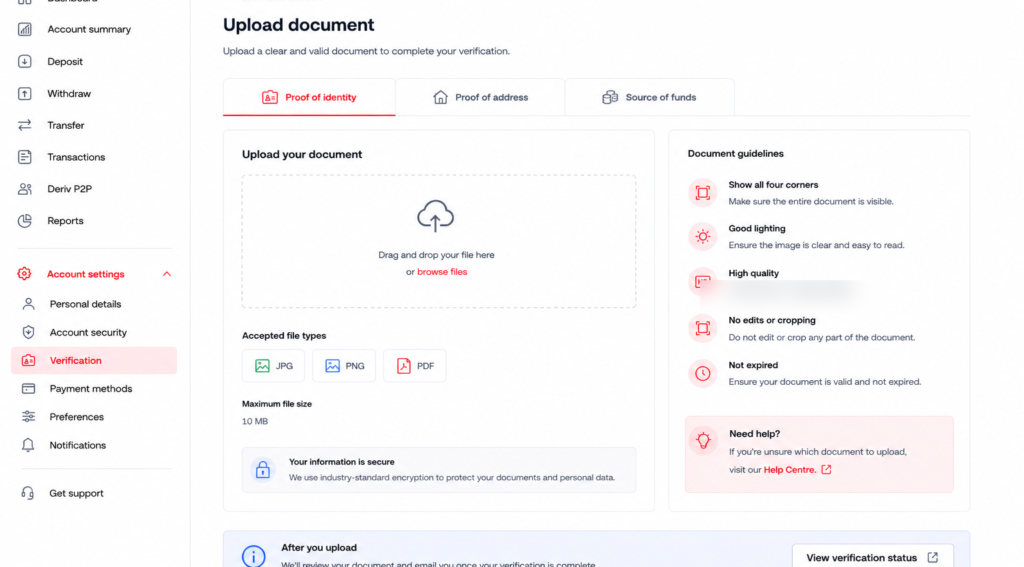
Once you have your documents ready, log into your Deriv account, go to Account Settings, and upload them under the relevant tab that is Proof of Identity, Proof of Address, or Source of Funds.
Tracking Your Verification Status
After uploading, you can track the status of each document directly in Account Settings, which will show as pending, verified, or flagged with a reason if something needs to be corrected. In the guide How to verify your Deriv, you will find a step by step process taken to get you verified.

Beyond Getting Verified
Once your own account is set up and verified, some people look at Deriv from a different angle that is introducing others to the platform rather than trading themselves. Deriv’s Partners program is built for this, letting you earn through referrals.
If you’re interested in going further and building a broader online income through affiliate marketing generally, rather than just one referral program, Wealthy Affiliate is designed to teach beginners the fundamentals of building an affiliate marketing business from scratch.

FAQ: Documents Needed to Verify a Deriv Account
Can I use a mobile phone bill as proof of address on Deriv? Usually not. Mobile phone bills are typically excluded, so a utility bill, bank statement, or government letter is a safer choice.
Do I need to submit source of funds documents when I first sign up? Not usually. This is typically requested later, based on account activity, rather than at initial sign-up.
Can I submit a digital copy of my documents? Yes, a clear photo or scanned PDF is generally accepted, as long as all details are legible and the full document is visible.
What if none of my documents show my current address? Check if any recent bank statement, utility bill, or official letter has been updated with your current address, since older documents are typically rejected.