How to Deposit Using Visa or Mastercard on Deriv

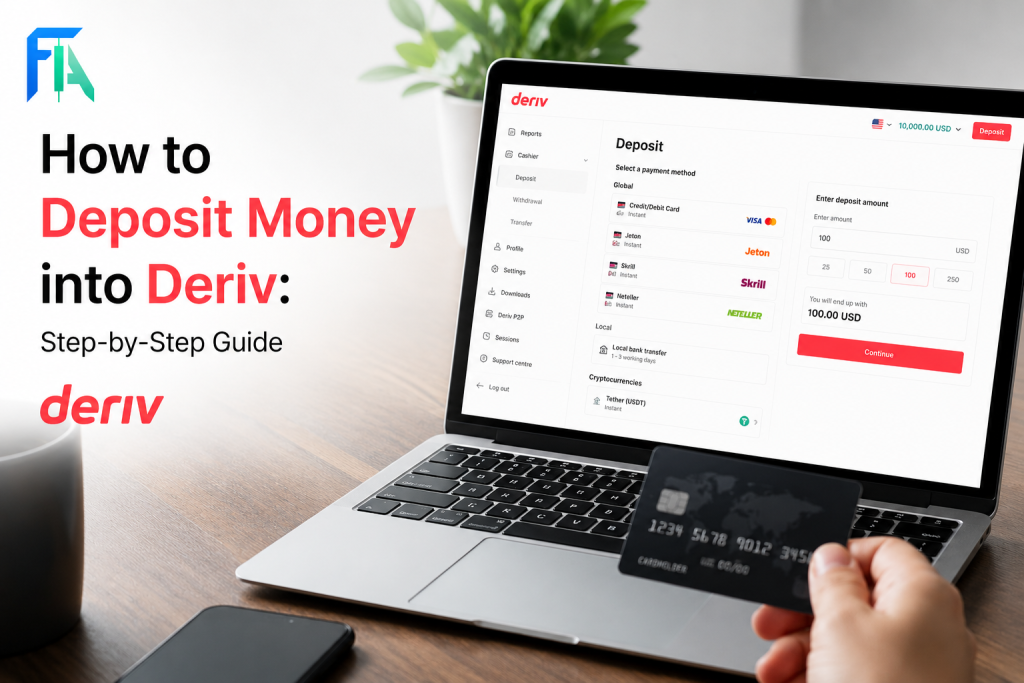
Funding your Deriv account should be quick, secure, and hassle-free. If you’re using a Visa or Mastercard, you’re in luck. Deriv supports direct card deposits, making it one of the fastest ways to get funds into your trading account so you can start trading without delay. In this guide, we’ll walk you through the step-by-step process of depositing funds using your Visa or Mastercard on Deriv, along with a few tips to make sure your transaction goes through smoothly the first time. As a trader or investor it is imperative to always make sure you protect yourself from potential fraud and scams. Check the CFTC website to see how you can always stay ahead and protect your hard earned capital.

Step 1: Go to the Deriv Cashier

Log into your Deriv account and click “Deposit” or “Cashier” from the main dashboard. If you have not opened a Deriv account yet you can do that here.

Step 2: Select Visa or Mastercard as Your Method

From the list of deposit options, choose “Visa” or “Mastercard”, whichever matches your card.

A screenshot showing a "Deposit" pop-up with USDT, USDC, P2P, and USD options, and a highlighted "Visa" section. The instruction "Select Visa or Mastercard from the" appears at the top, indicating how to make a Visa deposit Deriv or Mastercard deposit Deriv.
A screenshot showing a “Deposit” pop-up with USDT, USDC, P2P, and USD options, and a highlighted “Visa” section. The instruction “Select Visa or Mastercard from the” appears at the top, indicating how to make a Visa deposit Deriv or Mastercard deposit Deriv.

Step 3: Enter Your Card Details

Type in your card number, expiry date, and CVV. Make sure the details match exactly what’s printed on your card to avoid processing errors.

An online checkout page on Deriv shows a €2 blue T-shirt order. Card details form fields are highlighted with a red box, ready for Mastercard deposit or Visa deposit options. A blue “Pay €2.00” button is at the bottom right.
An online checkout page on Deriv shows a €2 order. Card details form fields are highlighted with a red box, ready for Mastercard deposit or Visa deposit options. A blue “Pay €2.00” button is at the bottom right.

Step 4: Enter Your Deposit Amount

Type in how much you’d like to deposit, keeping an eye on any minimum deposit amount shown for card payments. You can learn more here about What is the minimum deposit on Deriv.
Promotional graphic for Deriv forex trading showing a green upward candlestick chart with a rising arrow, currency symbols, and icons highlighting fast execution, tight spreads, security, and an "Open Account" button.
Promotional graphic for Deriv forex trading showing a green upward candlestick chart with a rising arrow, currency symbols, and icons highlighting fast execution, tight spreads, security, and an “Open Account” button.

Step 5: Confirm the Transaction

Review your card and deposit details, then confirm. Depending on your bank, you may be asked to complete an additional security step, such as 3D Secure verification.

A payment screen asks for a confirmation code for 3D Secure authentication, with a field to enter the code, a “Confirm payment” button, and an option to resend the code. You can complete your €2.00 T-shirt purchase using Visa, Mastercard, or Deriv.
A payment screen asks for a confirmation code for 3D Secure authentication, with a field to enter the code, a “Confirm payment” button, and an option to resend the code. You can complete your €2.00 purchase using Visa, Mastercard, or Deriv.

Step 6: Check Your Balance Updates

Card deposits are usually processed instantly. Check your Deriv Cashier to confirm the funds have reflected in your balance.

Screenshot of a financial dashboard on Deriv showing a deposit history table with columns for Type, Ref. ID, Currency, Transaction time, and Transaction. A red box and arrow highlight a row, with text: "Check the completed deposit in history." Payment methods such as Mastercard and Visa are also visible.
Screenshot of a financial dashboard on Deriv showing a deposit history table with columns for Type, Ref. ID, Currency, Transaction time, and Transaction. A red box and arrow highlight a row, with text: “Check the completed deposit in history.” Payment methods such as Mastercard and Visa are also visible.

Deposit Complete

That’s the full process for depositing with Visa or Mastercard on Deriv, from selecting your card to confirming the balance update. Another fast deposit method is using crypto. Learn How to Deposit using Crypto on Deriv.

Did you know that thousands of individuals across the world earn massively through Deriv’s Partner program? You can become part of this community and also start earning by providing support to Deriv traders.

FAQ: Depositing Using Visa or Mastercard on Deriv

How long does a card deposit take on Deriv? Card deposits are typically processed instantly, though occasional delays can occur depending on your bank.

What is 3D Secure verification? It’s an additional security check some banks require for online card payments, usually involving a code sent to your phone or a prompt in your banking app.

Are there fees for depositing with a card on Deriv? Deriv itself doesn’t always charge a fee, though your card issuer may apply its own charges, particularly for international transactions.

Why was my card deposit declined? This can happen due to insufficient funds, incorrect card details, or your bank blocking the transaction as a security precaution. Contacting your bank usually clarifies the reason.

A digital ad with the text "Support traders and earn commissions. Partner with a global trading platform." A red arrow rises over a gray globe. A red button below says "Explore Program.
A digital ad with the text “Support traders and earn commissions. Partner with a global trading platform.” A red arrow rises over a gray globe. A red button below says “Explore Program.
Learn Affiliate Marketing and Earn Online

Leave a Comment

Your email address will not be published. Required fields are marked *

Learn Affiliate Marketing and Earn Online
Scroll to Top