Selling USD on Deriv P2P is one of the most popular ways for traders to convert their trading balance into cash, using local payment methods and rates set by real buyers on the platform. Whether you’re cashing out profits or simply need local currency, the process is quick once you know the steps involved. In this guide, we’ll walk you through exactly how to sell USD on Deriv P2P, step by step, so you can complete your trade safely and efficiently. Also learn how to keep yourself safe from fraud and scams related to online trading through the FTC Consumer Advice
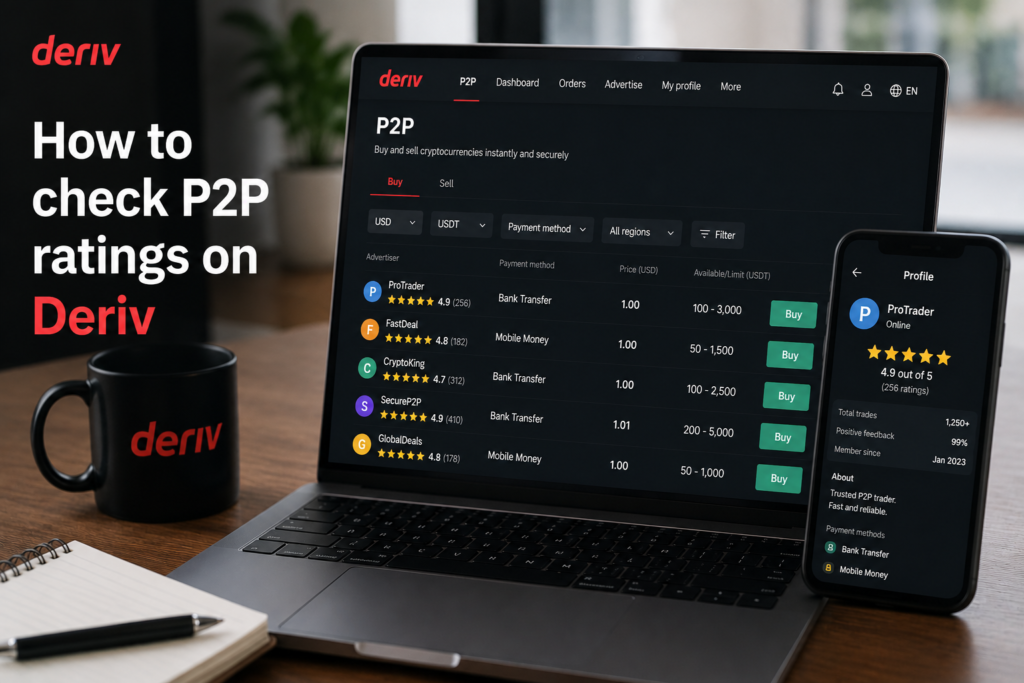
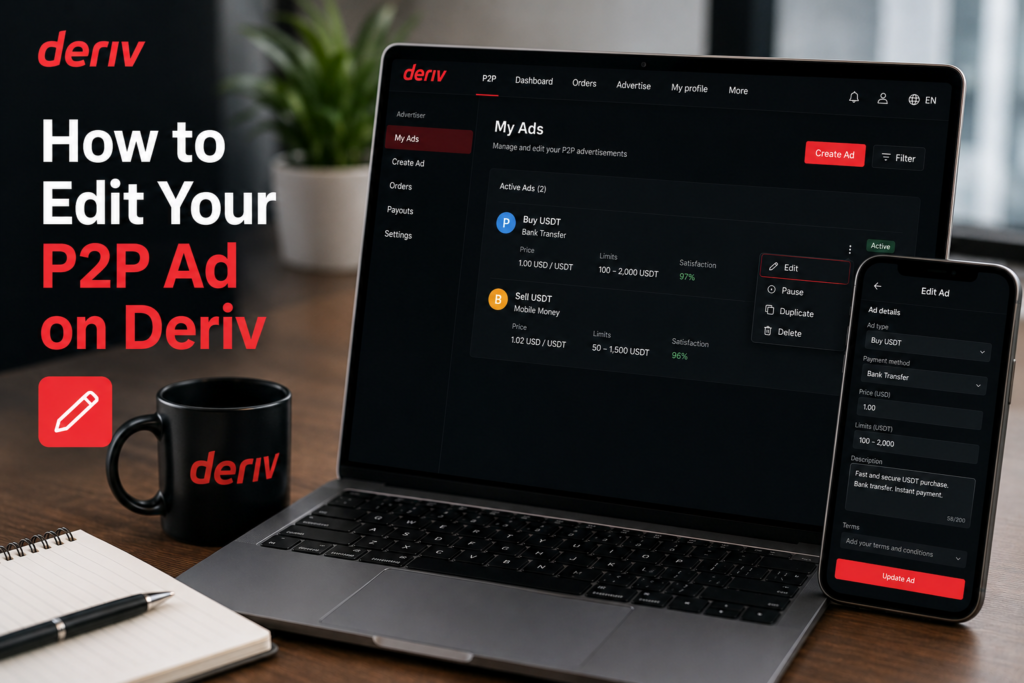
If you want to check counterparty quality before trading, see How to Check P2P Ratings on Deriv and How to Raise a Dispute on Deriv P2P.
You can open a Deriv Account here if you do not yet have one.
Step 1: Open Deriv P2P
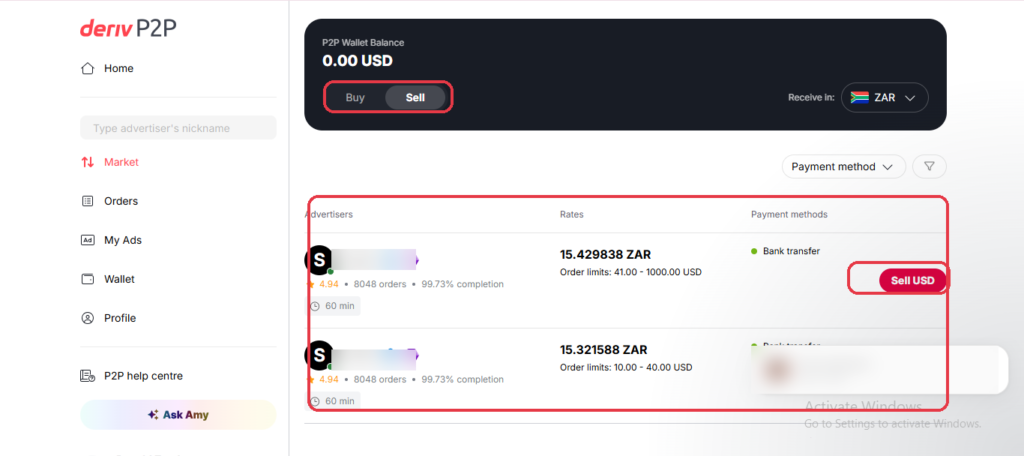
Log into your Deriv account, go to your Wallet, and select “Deriv P2P”.
Step 2: Select USD and Go to the Sell Tab
Set your currency to USD and open the “Sell” tab, where buyers list ads offering to purchase USD from you.
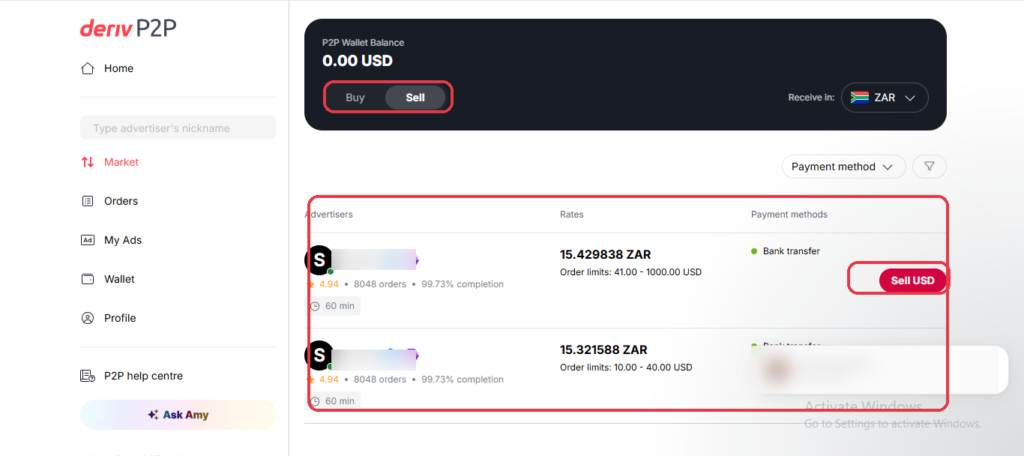
Step 3: Compare Buyer Ads
Check the rate, payment method, and transaction limits, along with the buyer’s rating and completion history, before choosing an ad.
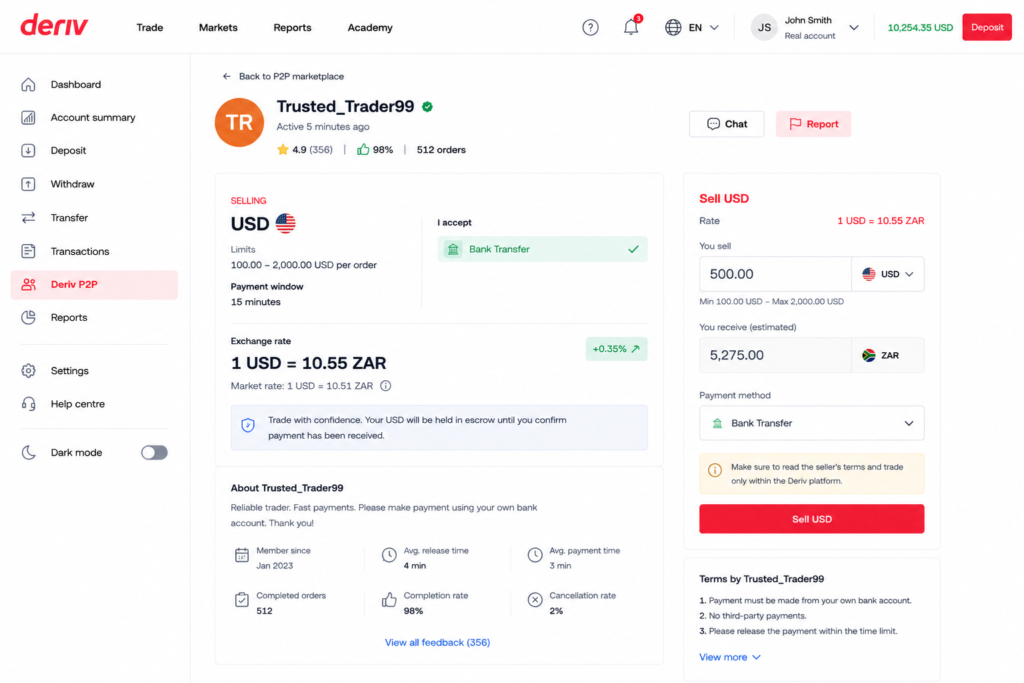
Step 4: Start the Order
Click on the ad, enter the amount of USD you want to sell, and confirm. Your funds are held in escrow until the trade completes.
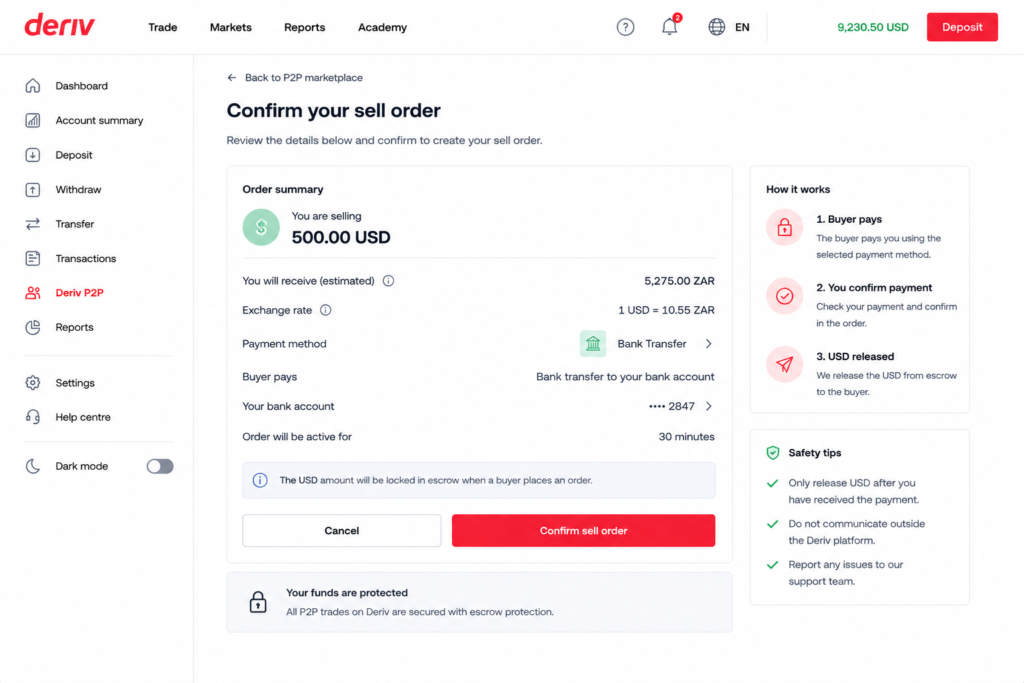
Step 5: Wait for Payment Confirmation
The buyer pays you directly. Do not release the funds until you’ve verified the payment has actually landed in your account.
Step 6: Release the Funds
Once payment is confirmed, click “Release” to complete the order. The USD is deducted from your Wallet.
Trade Complete
That’s the full process for selling USD on Deriv P2P, from listing to release. In another article you will learn How to Buy USD on Deriv P2P.
After you have successfully sold USD you may want to consider another way of earning additional income. Some users look at Deriv from a different angle entirely. Users are earning by referring others to the platform rather than trading themselves. Deriv’s Partners program is built for exactly this.
For those wanting to go further and build a broader online income through affiliate marketing in general, Wealthy Affiliate is designed to teach beginners the fundamentals of building an affiliate marketing business from scratch.

FAQ: Selling USD on Deriv P2P
Is it safe to sell USD on Deriv P2P? Yes, your funds stay in escrow until you confirm payment, so you’re not releasing anything before you’ve been paid.
What if the buyer sends the wrong amount? Don’t release the funds. Contact the buyer through chat first, and raise a dispute if it isn’t resolved.
How long do I have to wait for payment? Each order has a payment window shown on screen, after which you can cancel if payment hasn’t been confirmed.
Can I sell USD to any buyer on the platform? Yes, as long as the ad’s limits match your transaction amount and it’s available in your region.