When a P2P transaction doesn’t go as agreed, whether a payment wasn’t received or the terms weren’t honored, Deriv’s dispute process is there to help resolve the issue fairly. Knowing how to raise a dispute correctly, and what evidence to provide, can make the resolution process much faster. In this guide, we’ll walk you through exactly how to raise a dispute on Deriv P2P, step by step, so you know what to do if a trade goes wrong. For tight security measures for your trading account check CFTC Learn and Protect to learn about forex related scams and fraud.
If you want to check counterparty quality before trading, see How to Check P2P Ratings on Deriv and How to Raise a Dispute on Deriv P2P.
If you are still new to Deriv and you do not have an account yet, you can create a Deriv account here.
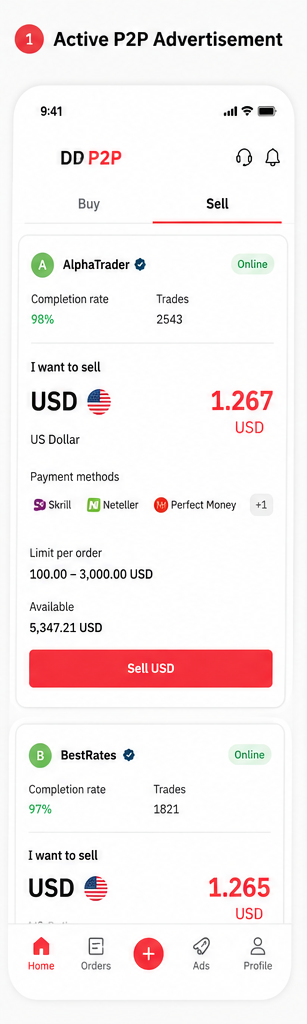
Step 1: Try Resolving It Through Chat First
Before raising a formal dispute, send a clear message to the other party explaining the issue. Sometimes it’s a simple misunderstanding that resolves quickly.
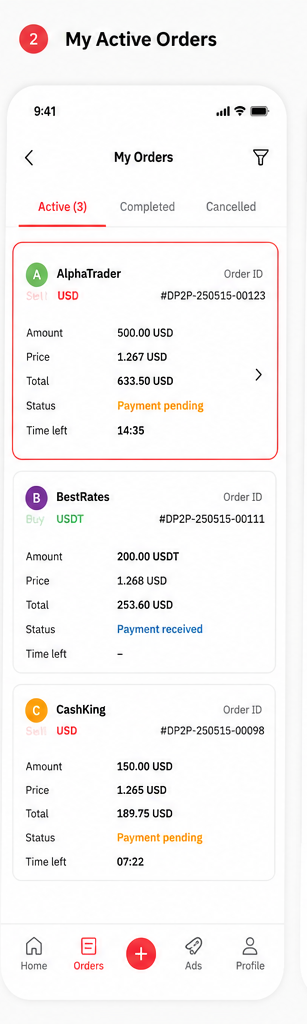
Step 2: Open the Order in Question
Log into your Deriv account, go to your Wallet, open Deriv P2P, and find the specific order under your active orders list.
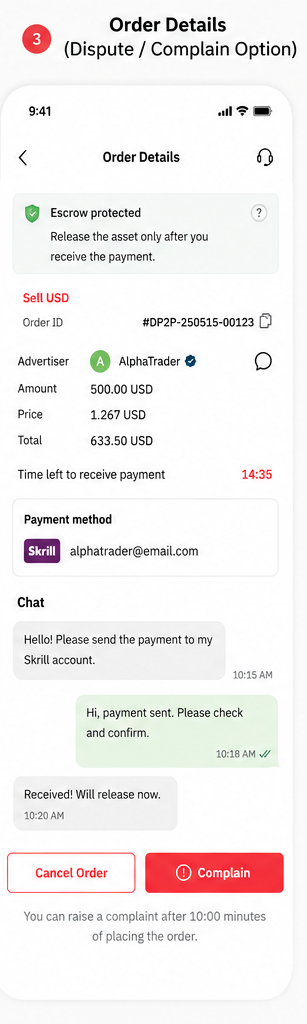
Step 3: Click “Dispute” or “Raise an Issue”
Within the order screen, look for a “Dispute” or “Raise an issue” option, usually available once the payment window has passed or a disagreement is clear.

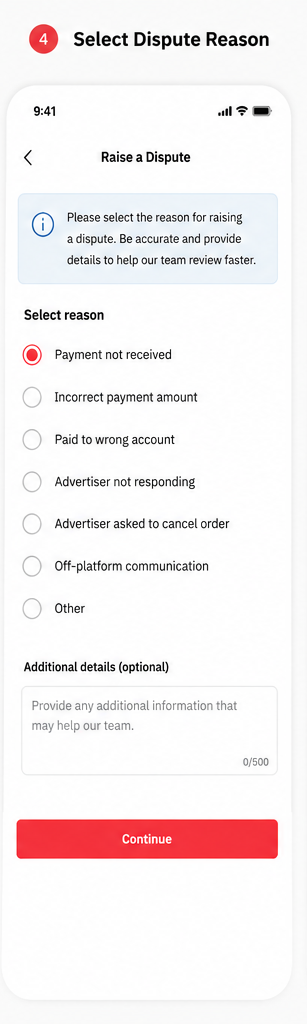
Step 4: Select a Reason for the Dispute
Choose the reason that best matches your situation, such as payment not received, incorrect amount, or another issue specific to the trade.
Step 5: Submit Supporting Evidence
Upload any relevant evidence, such as bank statements, payment receipts, or screenshots of the chat conversation, to support your case.
Step 6: Wait for Deriv’s Review
Once submitted, the order status changes to reflect that it’s under dispute, and Deriv’s team reviews the evidence from both sides before deciding an outcome.
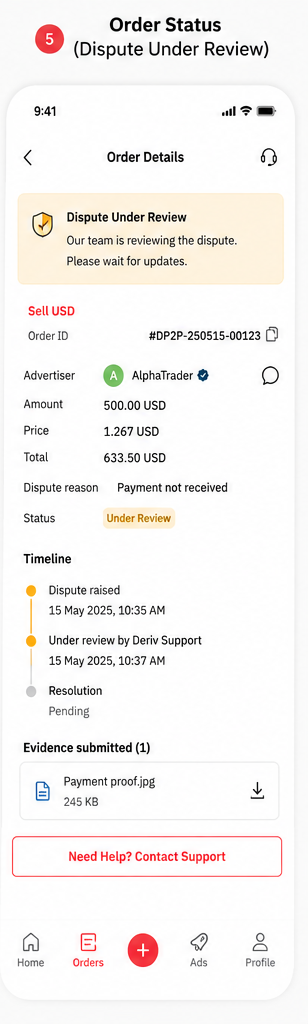
Dispute Submitted
That’s how to raise a dispute on Deriv P2P. Keeping clear records throughout any trade makes this process faster and more straightforward if you ever need to use it.

Now that you have successfully raised a dispute…
Now that you have figured out how to raise disputes, some users start looking at Deriv from a different angle and that is earning by referring others to the platform rather than trading themselves. Deriv’s Partners program is designed for exactly this.
For those wanting to build a broader online income through affiliate marketing more generally, Wealthy Affiliate is designed to teach beginners the fundamentals of building an affiliate marketing business from scratch.
FAQ: Raising a Dispute on Deriv P2P
When should I raise a dispute instead of just cancelling? If payment has already been made or claimed, and there’s disagreement about it, a dispute is safer than a straightforward cancellation.
What if I don’t have strong evidence to submit? Submit whatever you have, such as chat screenshots or partial bank records, since Deriv’s team reviews all available information, not just perfect evidence.
Can both parties raise a dispute on the same order? Typically, one dispute covers the order, and both parties can submit evidence to the same case rather than opening separate ones.
Is there a cost to raising a dispute? No, raising a dispute on Deriv P2P doesn’t cost anything.
