Once you’ve created a P2P ad on Deriv, your work isn’t necessarily done. Market rates shift, payment preferences change, and sometimes you just need to tweak the terms to attract more trades. Rather than deleting and starting over, Deriv makes it simple to edit an existing P2P ad directly from your dashboard. In this guide, we’ll walk you through exactly how to edit your P2P ad on Deriv, step by step, so you can keep your listings accurate and competitive. There are a lot of scams that happen in the forex industry. You can protect yourself by learning from CFTC Learn and Protect.
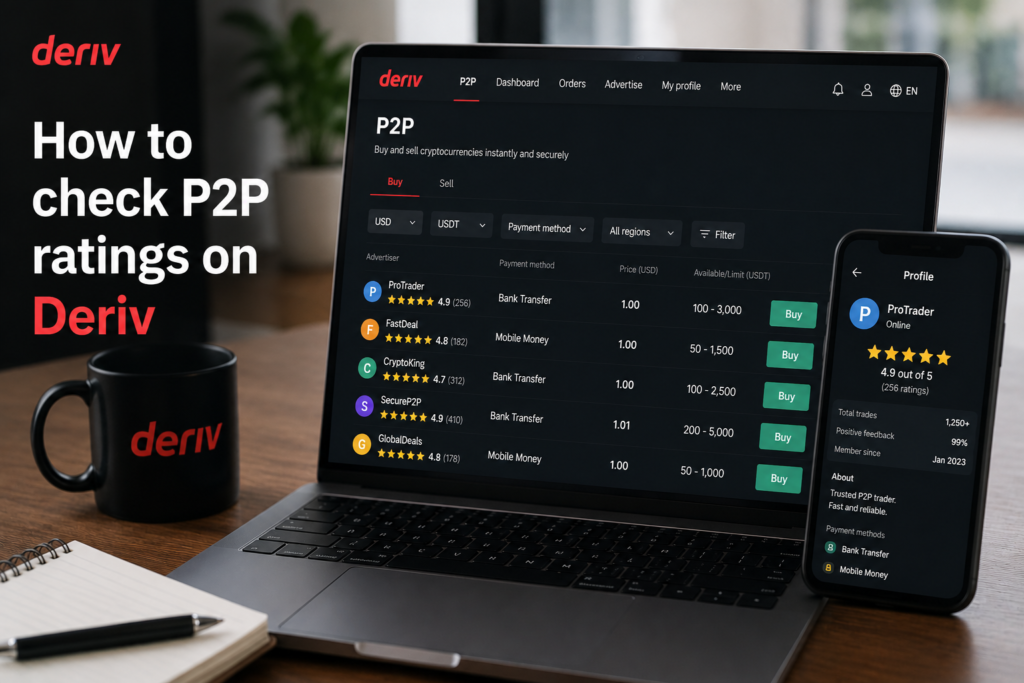
If you want to check counterparty quality before trading, see How to Check P2P Ratings on Deriv and How to Raise a Dispute on Deriv P2P.
If you do not have a Deriv Account yet you can open one here.
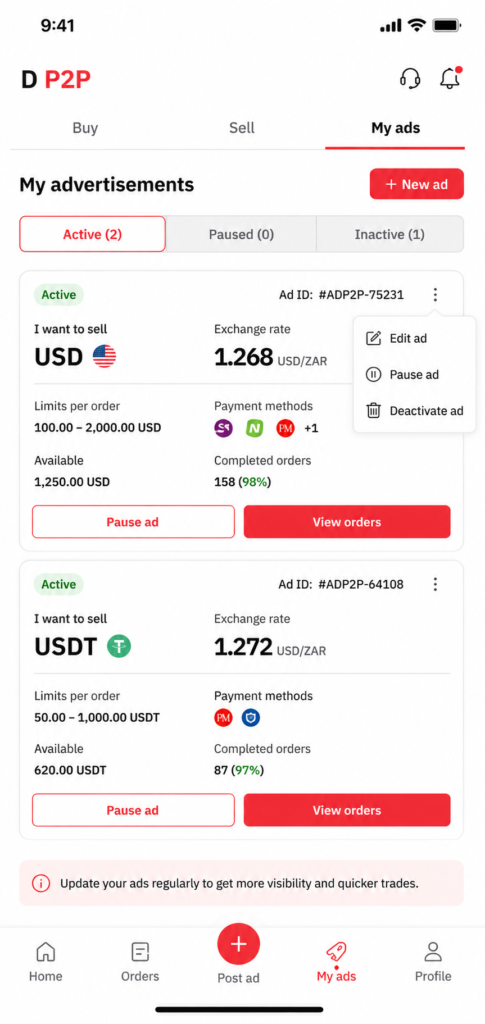
Step 1: Go to My Ads
Log into your Deriv account, go to your Wallet, open Deriv P2P, and select “My Ads” from your advertiser dashboard.
Step 2: Select the Ad You Want to Edit
Find the specific ad in your list and click “Edit” next to it.
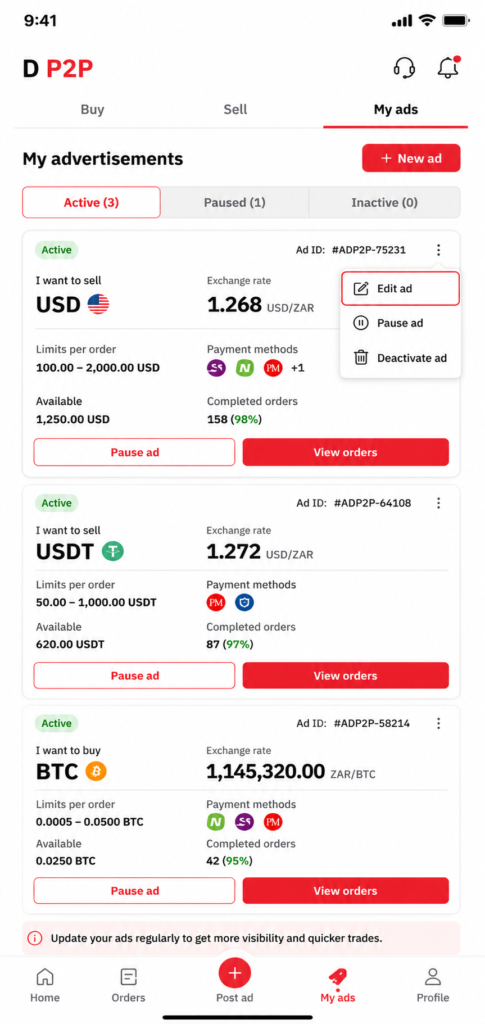
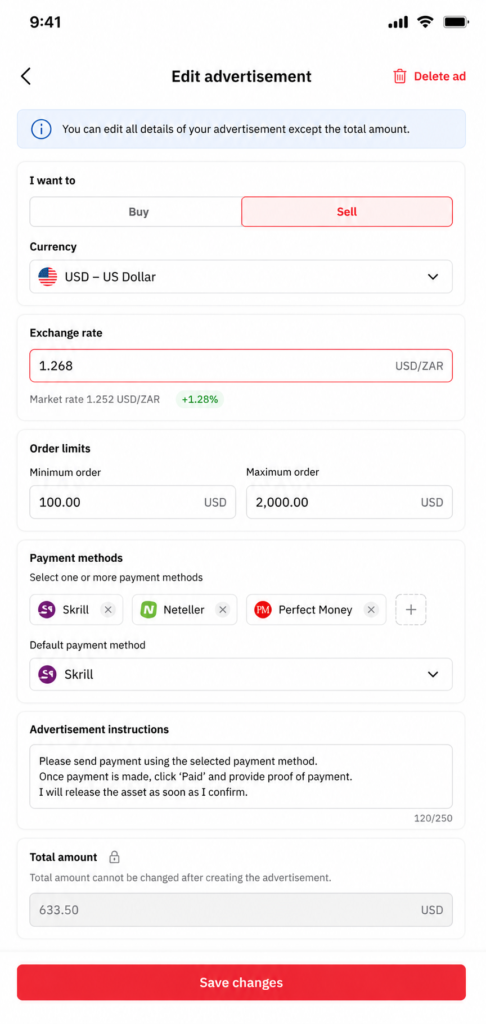
Step 3: Update the Rate
If the market has shifted or you want to be more competitive, adjust the rate field to your new price.
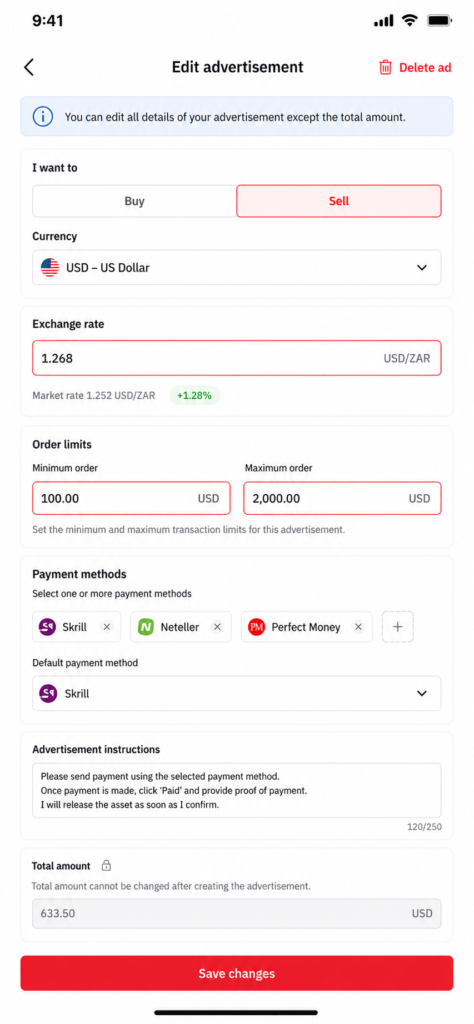
Step 4: Adjust Transaction Limits
Update the minimum and maximum amounts if your available balance or trading preferences have changed.
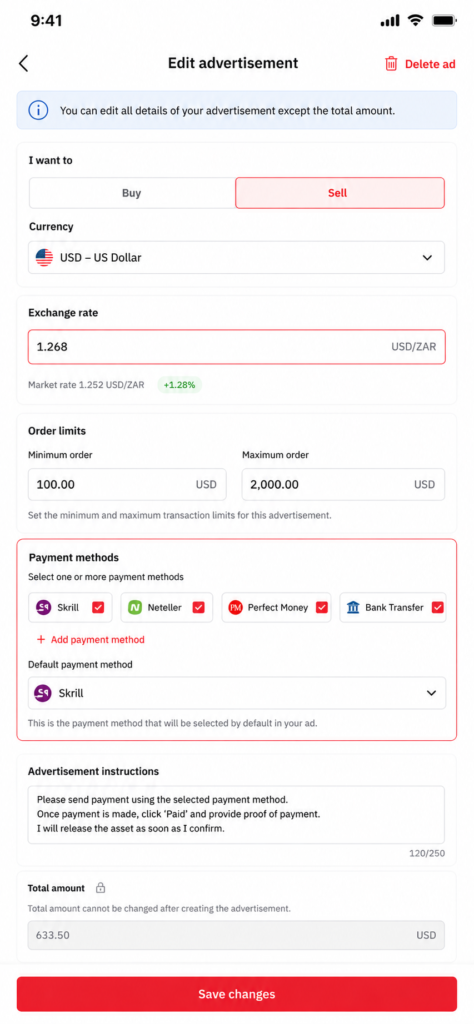
Step 5: Update Payment Methods or Instructions
Add or remove accepted payment methods, or revise your instructions, to reflect your current preferences.
Step 6: Save Your Changes
Review the updated ad details and click “Save” to publish the changes. The ad updates immediately in the public listing.
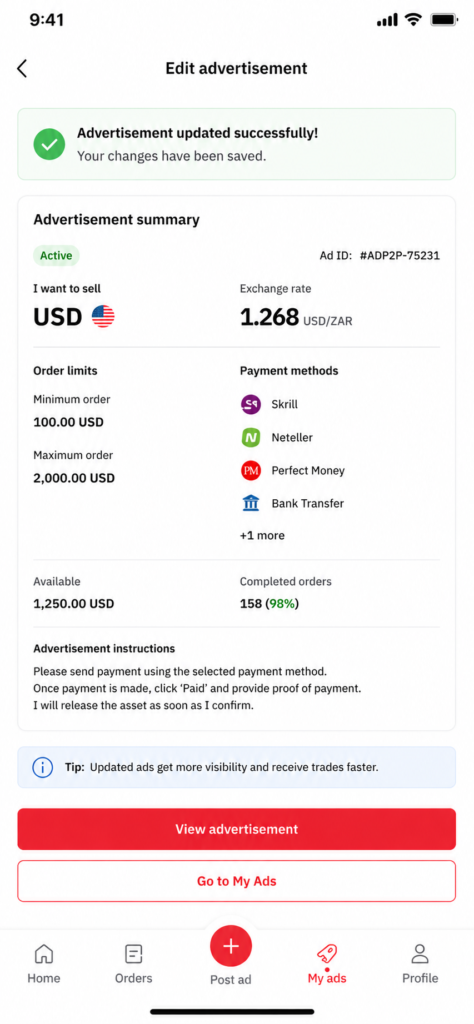

Ad Updated
That’s how to keep your Deriv P2P ad current without needing to delete and recreate it each time.
Once you have successfully edited your P2P ad you have something else to consider. Some users look at Deriv from a different angle entirely. Users are earning by referring others to the platform rather than trading themselves. Deriv’s Partners program is built for exactly this. You can be part of this growing community.
For those wanting to go further and build a broader online income through affiliate marketing in general, Wealthy Affiliate is designed to teach beginners the fundamentals of building an affiliate marketing business from scratch.
FAQ: Editing a Deriv P2P Ad
Can I edit an ad while it has an active order? Some fields may be locked while an order is in progress, so it’s best to wait until any active orders are complete before making major changes.
Will editing my ad affect its position in the listing? Ad ordering is typically based on rate and other factors, so changing your rate can affect where your ad appears relative to others.
Can I change an ad from Buy to Sell? No, you’ll generally need to create a new ad for the opposite type rather than converting an existing one.
How often can I edit my ad? There’s usually no strict limit, so you can adjust it as often as needed to stay competitive.