Before committing to a P2P trade, checking a counterparty’s ratings can save you from a lot of potential headaches. Deriv’s rating system gives you insight into a trader’s reliability, completion rate, and past feedback from other users, helping you make more informed decisions before you buy or sell. In this guide, we’ll walk you through exactly how to check P2P ratings on Deriv, step by step, so you can trade with more confidence. Learn how P2P crypto marketplaces work anywhere else outside of Deriv.
If you want to check counterparty quality before trading, see How to Check P2P Ratings on Deriv and How to Raise a Dispute on Deriv P2P.
If you have not yet created a Deriv account you can do that here.
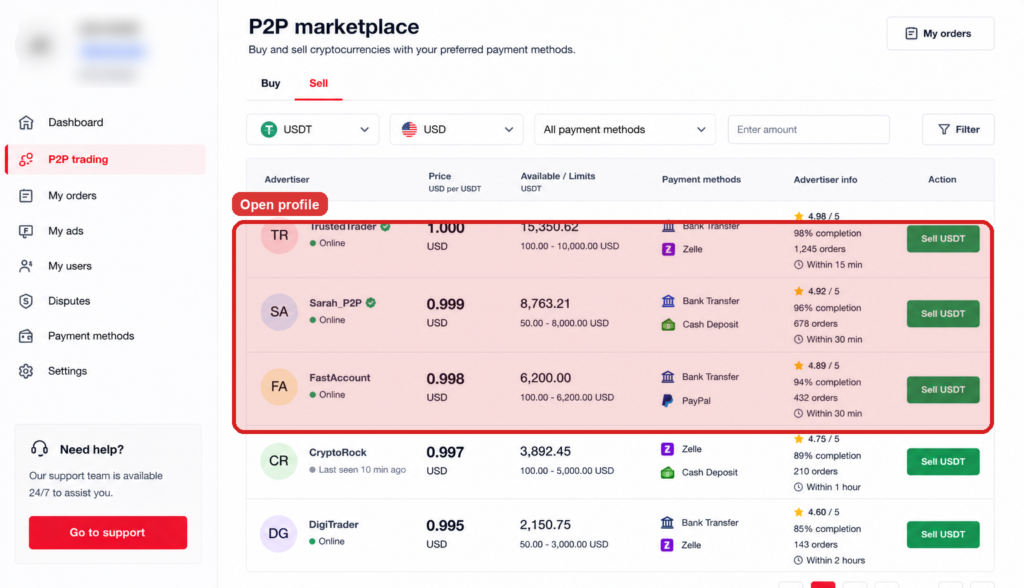
Step 1: Open the Buy or Sell Tab
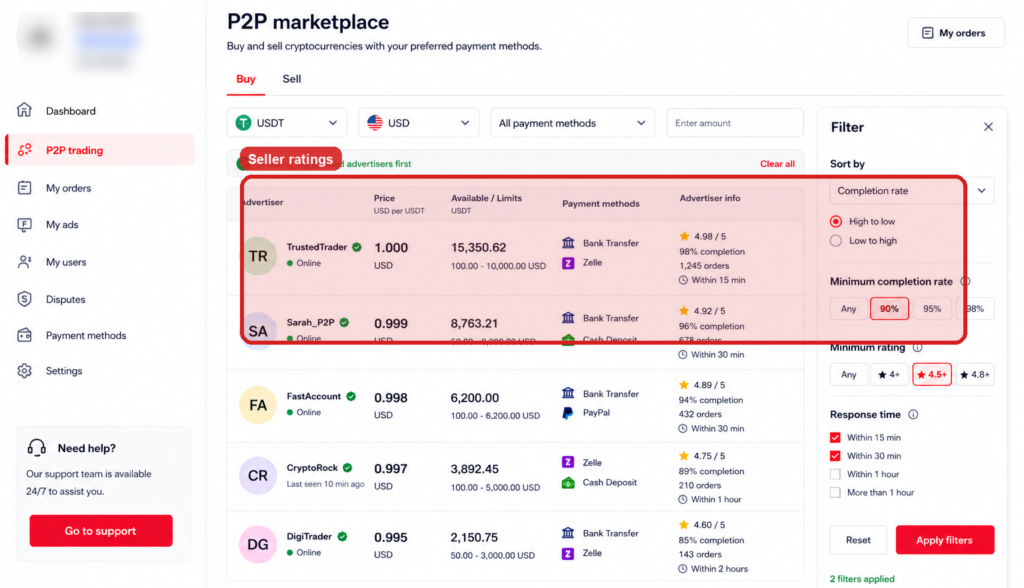
Log into your Deriv account, go to your Wallet, open Deriv P2P, and browse either the Buy or Sell tab depending on what you’re looking for.
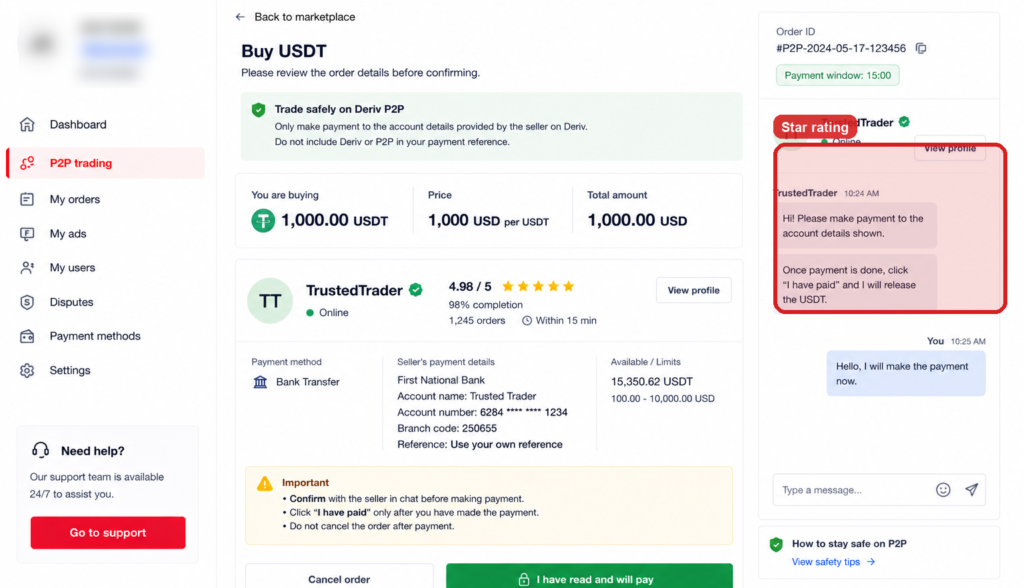
Step 2: Click on a User’s Name or Profile
Each ad shows the advertiser’s nickname. Click on it to open their full P2P profile.
Step 3: Check the Star Rating
The profile displays an overall star rating based on feedback from previous trades, giving a quick sense of their reputation.
Step 4: Review the Completion Rate
This shows the percentage of started orders that were successfully completed, which is one of the most useful indicators of reliability.

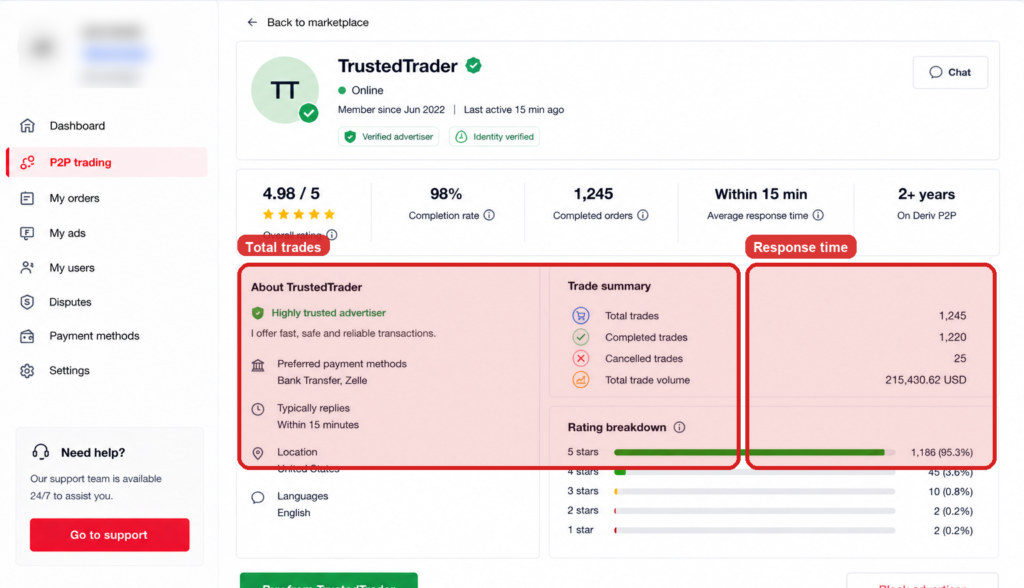
Step 5: Check Total Trades and Response Time
Look at how many trades they’ve completed overall, along with their average response time, both of which give a sense of experience and reliability.
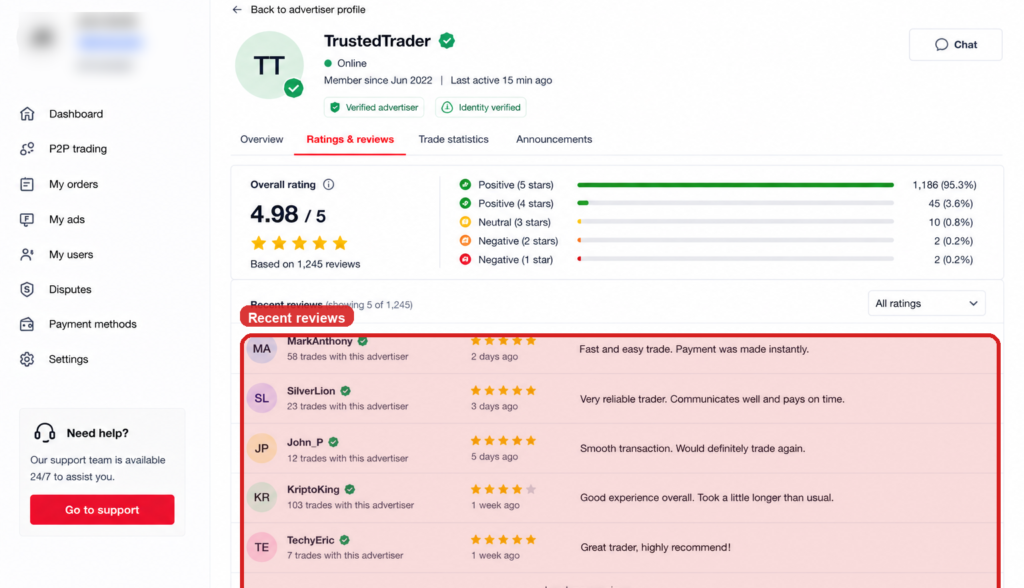
Step 6: Read Individual Reviews
Scroll through recent feedback left by other traders for specific comments about their experience, positive or negative.
Using Ratings Wisely
No single number tells the whole story, so weigh the rating, completion rate, trade count, and reviews together before deciding who to trade with. In another article we cover How to avoid scams on Deriv P2P

Beyond Resolving Account Issues
Once your account is in good standing, some users start looking at Deriv from a different angle and that is earning by referring others to the platform rather than trading themselves. Deriv’s Partners program is designed for exactly this.
For those wanting to build a broader online income through affiliate marketing more generally, Wealthy Affiliate is designed to teach beginners the fundamentals of building an affiliate marketing business from scratch.
FAQ: Checking P2P Ratings on Deriv
Where exactly do I find a user’s rating on Deriv P2P? Click on their nickname from any ad listing to open their full profile, where the rating and stats are displayed.
What’s a good completion rate to look for? Generally, anything above 90% is considered solid, especially when paired with a reasonable number of total trades.
Can I see a user’s rating before starting an order? Yes, ratings and stats are visible directly from the ad listing and full profile before you commit to any trade.
Do new users have a rating yet? New users typically won’t have much trade history yet, so their profile will show limited data until they build up a track record.