Your wallet balance is the number that matters most before you place a trade, make a withdrawal, or move funds around and Deriv shows it in more than one place, which trips up a lot of newer users. Depending on whether you’re checking from Trader’s Hub, a specific wallet screen, or mid-transfer, the figure you see can reflect slightly different things: available balance versus funds tied up in an open position, for instance. Here’s exactly where to look and what each number actually tells you. Although the Deriv Wallet has its own interface, the general principles behind wallet balances are similar across many platforms. Blockchain.com’s beginner guide to crypto wallets offers a helpful explanation for first-time users.
If you are a first timer you can also create a Deriv account here.
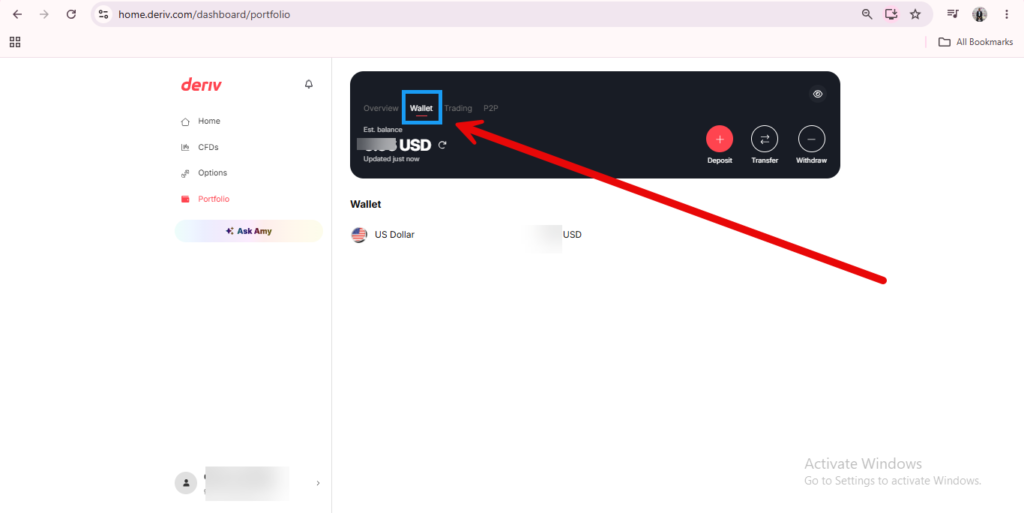
The Quick Glance: Top of the Dashboard
Most pages on Deriv show a small balance figure near the top of the screen, usually next to the wallet icon, giving you a running total without needing to click into anything.
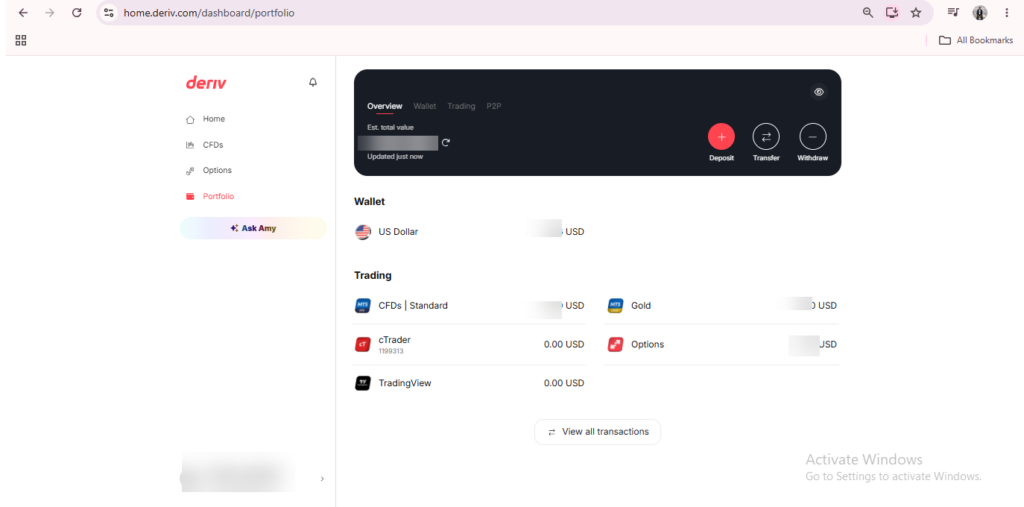
The Full Breakdown: Your Wallets Overview
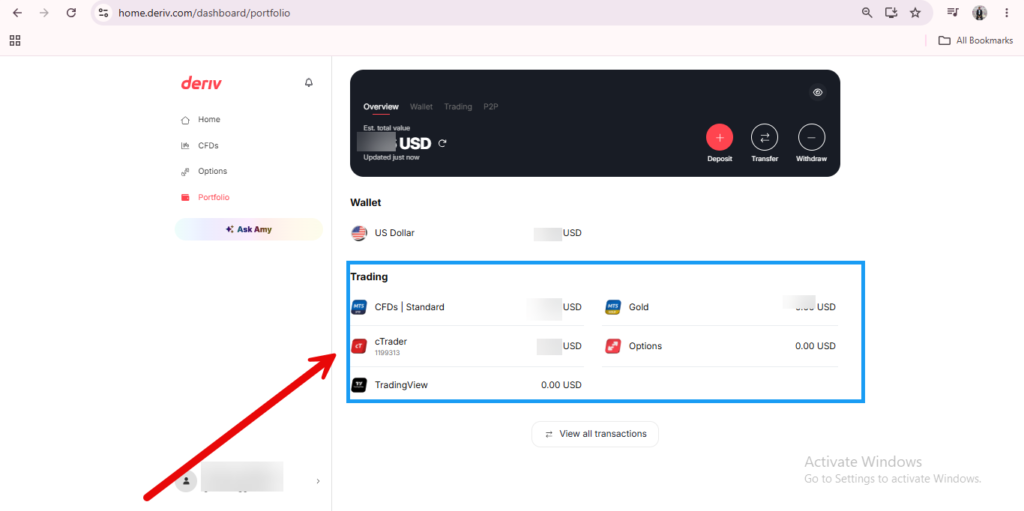
Click the wallet icon to open your Wallets overview, where each individual Wallet, whether fiat or crypto, is listed with its own separate balance. If you have not yet used any of your crypto wallets they appear as destination wallets when you select the transfer option.
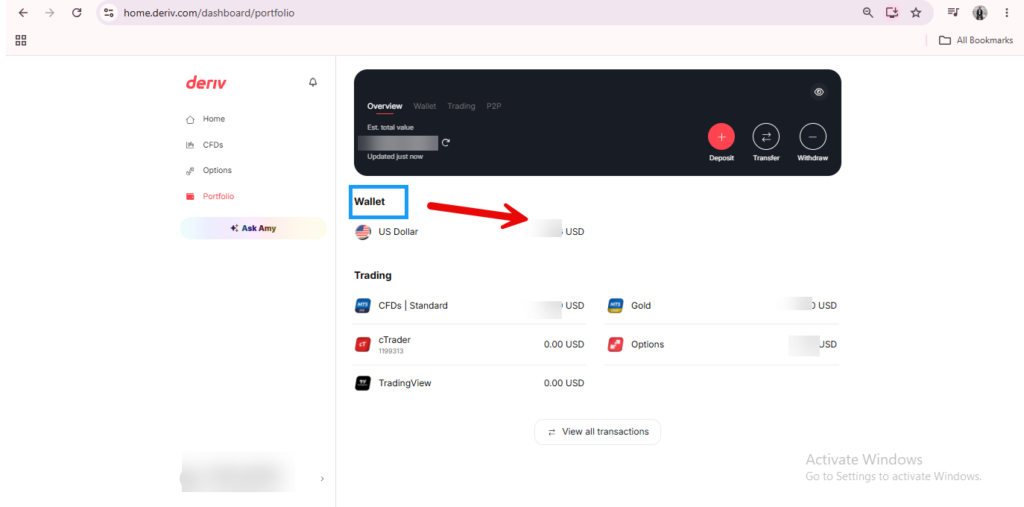
Per-Trading-Account Balances in Trader’s Hub
Each trading account card in the Portfolio or CFDs section, such as MT5, shows its own balance separately from your Wallet, since funds only reflect there once transferred in.

Balance History in Your Statement
If you want to see how your balance has changed over time rather than just the current figure, check the Statement or Transaction History section within your Wallet.
Checking Balance on the Mobile App
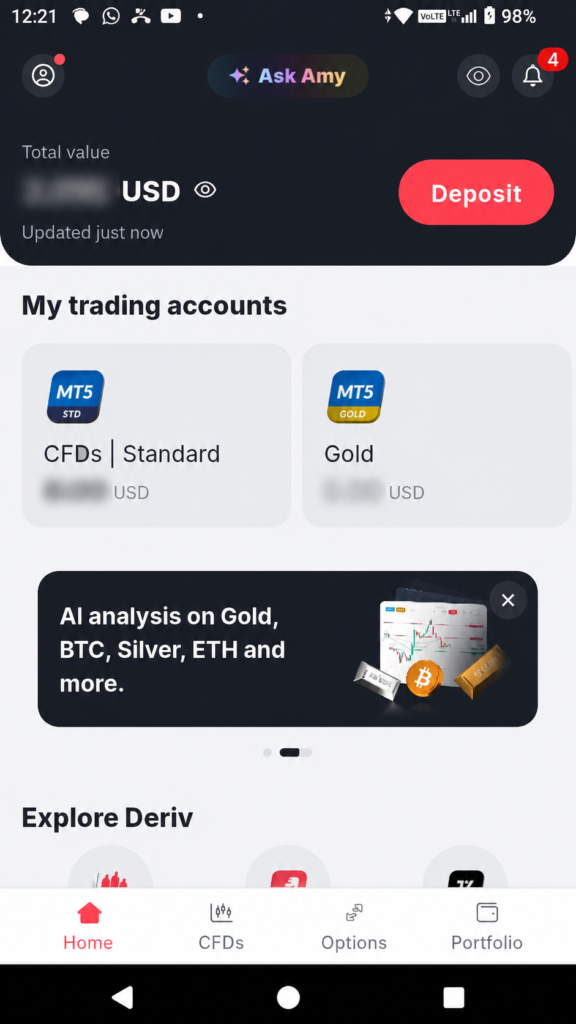
The same balance figures are available on Deriv’s mobile app, typically shown at the top of the home screen and within the Wallet section.
Why Your Wallet and Trading Balances Differ
It’s worth remembering these aren’t the same number. Your Wallet balance is what’s available to transfer, while your trading account balance is what’s already been moved in and is ready to use for trading. If you’re not sure how to move funds between the two, our guide on How to Switch Between Wallets covers that.
Once you’re used to keeping an eye on your own balance, it’s worth knowing there’s a completely separate way to earn on Deriv that has nothing to do with trading at all. Curious traders usually start here. You can also check here for extra support and resources to make at a faster rate as a beginner.

FAQ: Viewing Your Wallet Balance on Deriv
Why does my Wallet balance differ from my MT5 balance? They’re separate by design. Your Wallet holds funds until you transfer them into a specific trading account like MT5.
Can I see my balance without logging in fully? No, balance information requires being logged into your account for security reasons.
Does my balance update immediately after a deposit? Card and e-wallet deposits usually reflect quickly, while bank transfers and some crypto deposits can take longer to update.
Where do I check historical balance changes rather than just the current total? The Statement or Transaction History section within your Wallet shows this over time.