Posting your own ad on Deriv P2P puts you in control like letting you set your own rates, choose your preferred payment methods, and reach traders directly instead of relying solely on existing listings. Whether you’re looking to buy or sell, creating an ad is a straightforward process once you know where to look. In this guide, we’ll walk you through exactly how to post an ad on Deriv P2P, step by step, so you can start trading on your own terms. Learn more about how to transact safely on CFTC Learn and Protect. It covers payment fraud and scams specific to forex trading.
If you want to check counterparty quality before trading, see How to Check P2P Ratings on Deriv and How to Raise a Dispute on Deriv P2P.
If you have not yet opened a Deriv Account you can open one here.
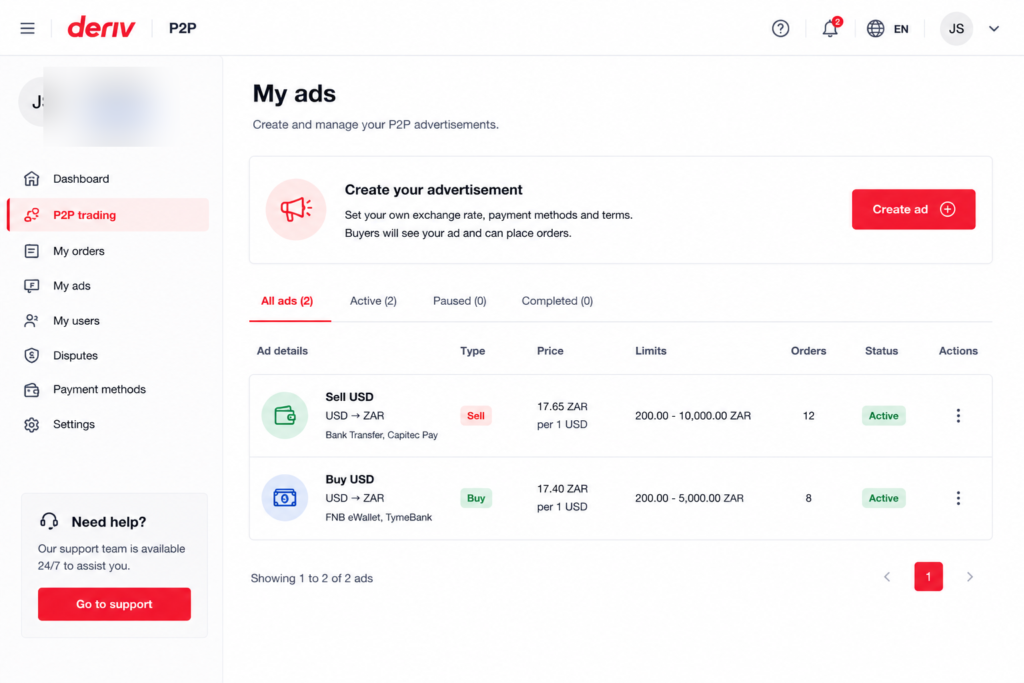
Step 1: Open the Ad Creation Screen
Log into your Deriv account, go to your Wallet, open Deriv P2P, and select “Post New Ad” or “Create Ad” from your advertiser dashboard.
Step 2: Choose Buy or Sell
Select whether you’re posting an ad to buy or sell currency from other users.
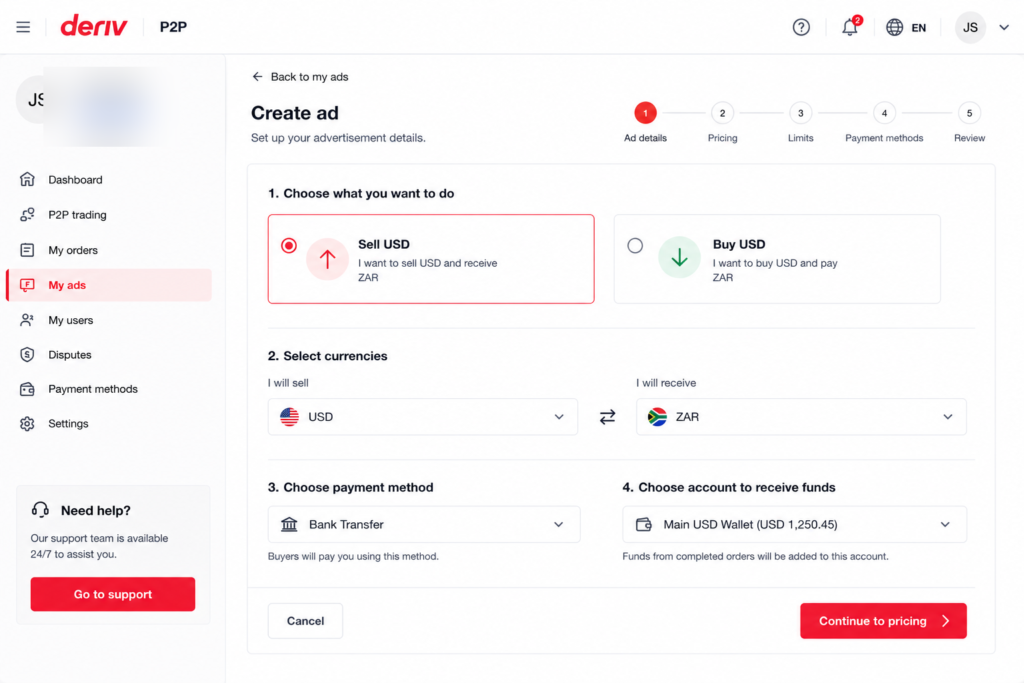
Step 3: Set Your Rate
Enter the rate you’re offering, either as a fixed price or relative to the current market rate, depending on what Deriv P2P supports for your ad type.


Step 4: Set Transaction Limits
Define the minimum and maximum amount you’re willing to trade per order, and the total amount available across the ad.

Step 5: Choose Accepted Payment Methods
Select which payment methods you’ll accept from the other party, since this determines who can respond to your ad.
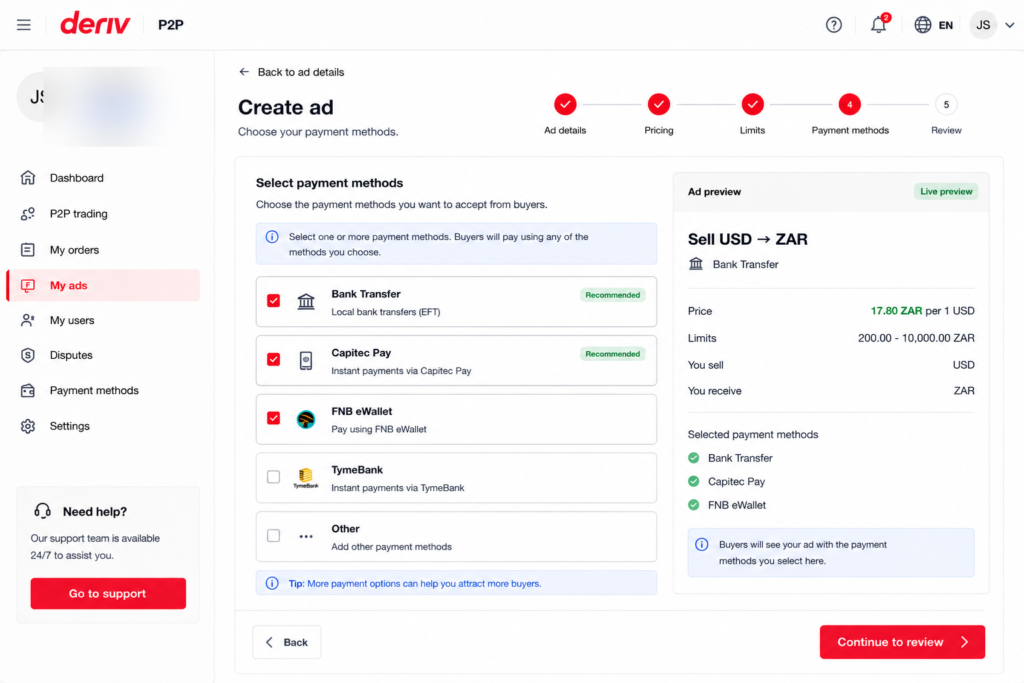
Step 6: Add Instructions and Publish
Include any specific instructions for the other party, then review and publish your ad. It will appear in the relevant Buy or Sell list for other users to see.
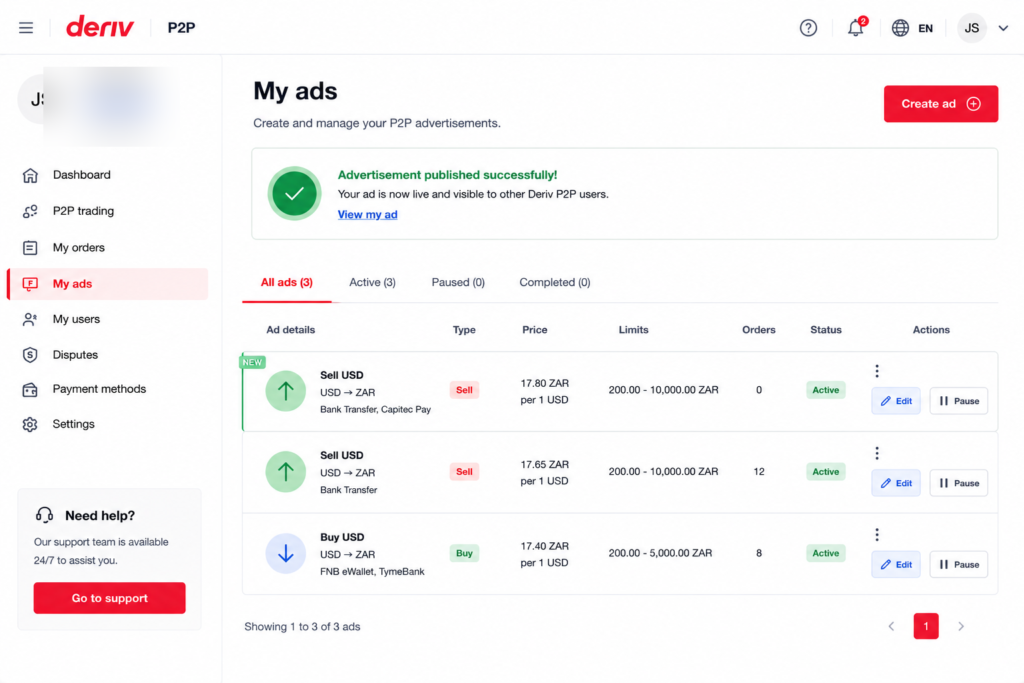
Ad Live
That’s your ad live on Deriv P2P. From here, you’ll be notified when someone starts an order against it.
Now that you have successfully posted your first ad, you can consider other income streams. Some users look at Deriv from a different angle entirely. Users are earning by referring others to the platform rather than trading themselves. Deriv’s Partners program is built for exactly this.
For those wanting to go further and build a broader online income through affiliate marketing in general, Wealthy Affiliate is designed to teach beginners the fundamentals of building an affiliate marketing business from scratch.
FAQ: Posting an Ad on Deriv P2P
How many ads can I have active at once? This depends on Deriv’s current advertiser limits, which are shown when you try to create a new ad.
Can I set different rates for different payment methods? Typically, you’d create separate ads for each rate or payment method combination rather than mixing them within one ad.
Can I pause an ad without deleting it? Yes, most advertiser dashboards let you deactivate an ad temporarily without removing it entirely.
What happens if no one responds to my ad? Nothing happens automatically. You can adjust your rate or limits at any time to make the ad more competitive.