Once you’ve decided synthetic indices are worth exploring, the actual account-opening process on Weltrade is short but a few steps are easy to rush past if you’re moving quickly. Here’s the process from registration to your first funded trade. Opening a trading account generally involves selecting the appropriate account type, completing the registration process and verifying or activating the account. FX Empire provides a useful overview of the general process of opening an online trading account.

Step 1: Register a Weltrade Profile
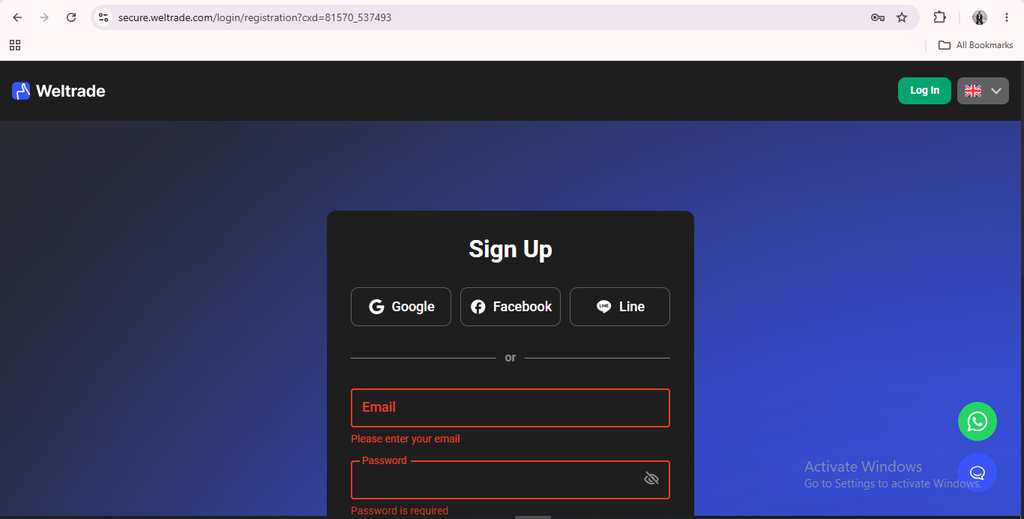
If you don’t already have a Weltrade account, start by creating a profile on the website or mobile app. This is your master login. Every trading account you open afterward, including SyntX, sits underneath this same profile.
Step 2: Open a New Trading Account
From your Personal Profile, select the option to open a new account. On mobile, this is the “Open Account” button on your dashboard; on desktop, it’s in the account management section. You’ll be asked to choose an account type. This is where you select Synthetic Indices (SyntX) rather than Micro, Premium, Pro, or Raw Spread.
Step 3: Select Platform, Currency, and Leverage
SyntX runs exclusively on MT5, so that choice is made for you. You will, however, need to pick your account currency. USD is the standard choice. Thereafter confirm your leverage setting before the account is created. Learn more in Weltrade SyntX Leverage Explained.

Step 4: Save Your MT5 Login Details
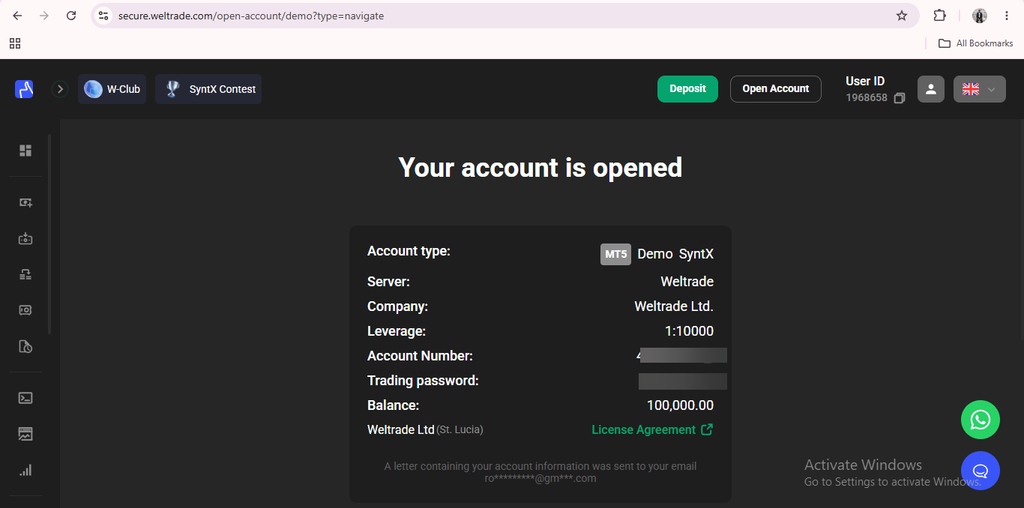
Once the account is created, Weltrade generates a separate MT5 login number and password specifically for trading different from your main Weltrade profile password. These are the credentials you’ll enter into the MT5 platform itself, so store them securely before moving on.
Step 5: Download and Log In to MT5
With your SyntX account created, download MT5 for desktop or mobile from the Download Trading Platform section of your profile. Open the platform, select File → Login to Trade Account, and enter your SyntX account number, password, and the correct server, typically labeled Weltrade-Live for a funded account or Weltrade-Demo if you’re testing first. For more on what actually happens once you’re inside the account, see our guides on What Is the Weltrade SyntX Account?

Step 6: Fund the Account (When You’re Ready)
Opening the SyntX account itself doesn’t require a deposit, you can explore the instrument list and interface first. When you’re ready to trade live, head to the Deposit section of your profile and choose a payment method. Most electronic options are processed quickly and Weltrade doesn’t charge its own deposit fees, though your payment provider might. For minimum deposits see our guide Weltrade SyntX Minimum Deposit.

A Few Things Worth Checking Before You Fund
Before committing real money, it’s worth confirming your leverage setting matches what you intend to use. SyntX leverage can run far higher than standard forex accounts, and adjusting it after the fact isn’t always straightforward. It’s also worth spending time on the demo version of the account first, since synthetic instruments behave differently enough from forex that even experienced traders benefit from a trial run. And if you already hold another Weltrade account type, remember SyntX runs as a separate account entirely you’re not converting an existing account, you’re adding a new one alongside it.

Getting Trading
The whole process, from registration to a live MT5 login, typically takes only a few minutes once you have your documents ready for verification. Having your ID ready ahead of time, rather than scrambling for it once you’re mid-registration, is the easiest way to keep the whole flow uninterrupted.
Ready to set one up yourself? Open a Weltrade SyntX account and get your MT5 credentials in minutes.


