Understanding the Deriv Home Page

Before diving into trading, deposits, or account settings, it helps to know your way around the Deriv home page, your central starting point for everything the platform offers. From quick access to your trading platforms and wallets to account notifications and support links, the home page is designed to get you where you need to go with minimal clicks. In this guide, we’ll walk you through exactly what you’ll find on the Deriv home page and how to navigate it, so you can make the most of the platform from the moment you log in. Clear navigation is an important part of any effective home page, and Nielsen Norman Group’s usability guidelines explain why users should be able to quickly identify the main areas and functions of a website.

If you are completely new to Deriv, you can create your account here.
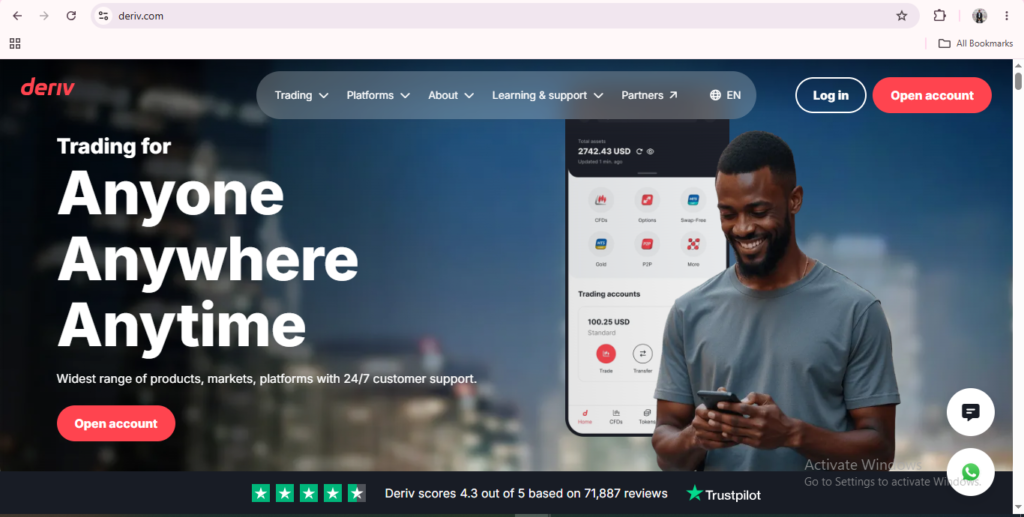
A man smiles while using his phone. The Deriv website promotes online trading with the slogan “Trading for Anyone, Anywhere, Anytime” and options to log in or open an account are clearly highlighted, demonstrating the user-friendly Deriv website layout.

The Top Navigation Bar

Across the top, you’ll find links to markets, platforms, and resources, along with the “Log in” and “Sign up” buttons in the top right corner.
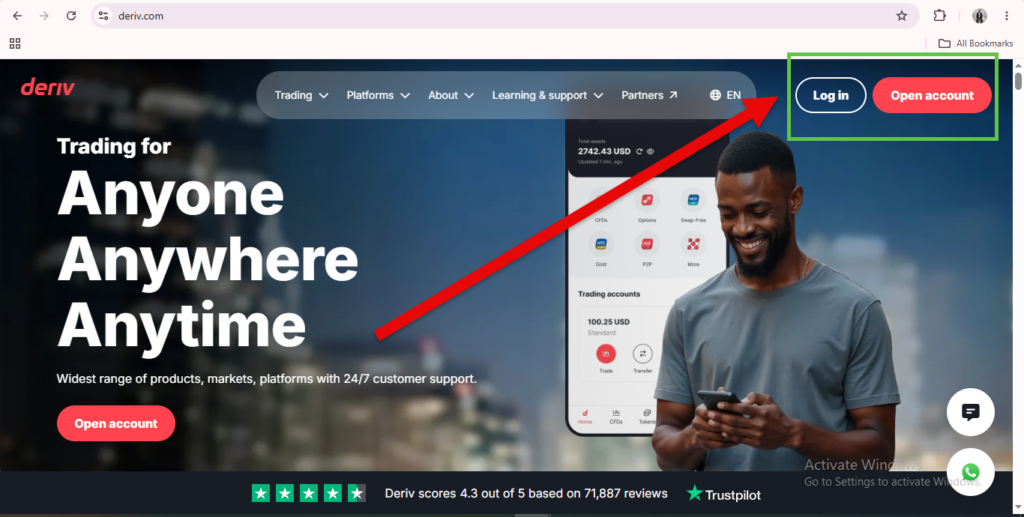
A man smiling at his phone on the Deriv homepage highlights how user-friendly the platform is. A red arrow points to the “Log in” and “Open account” buttons in the upper right corner, clearly illustrating the Deriv website layout and easy navigation.

The Markets and Platforms Overview

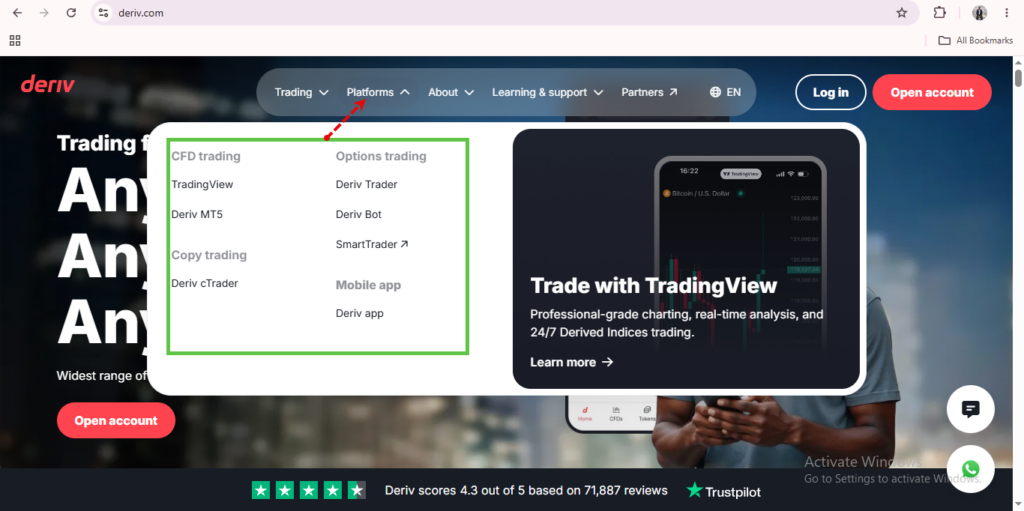
The homepage highlights the markets available on Deriv, such as forex, indices, and commodities, alongside the trading platforms like MT5 and Deriv Trader. This is largely informational until you’re logged in.
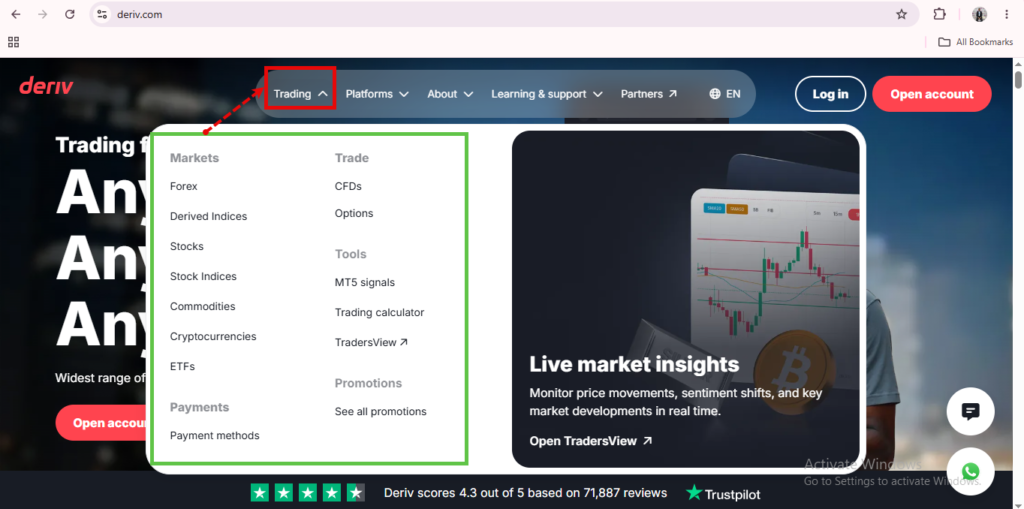
Deriv.com homepage showing the “Trading” dropdown menu with options like Markets, Forex, CFDs, and Options. A chart with the Bitcoin symbol is on the right, illustrating key features of the Deriv website layout. The navigation bar and account buttons are positioned at the top for easy access.
Screenshot of the Deriv homepage showing a dropdown menu under “Platforms” that highlights Deriv.com navigation and lists trading options such as Deriv trading, Deriv MTS, Copy trading, Deriv Trader, SmartTrader, Mobile app, and Deriv Bot.

Getting Started From the Home Page

Clicking “Sign up starts the account creation process, covered in detail in How to Create a Deriv Account Step-by-Step, while “Log in” takes returning users straight to the Deriv Dashboard in the home section.
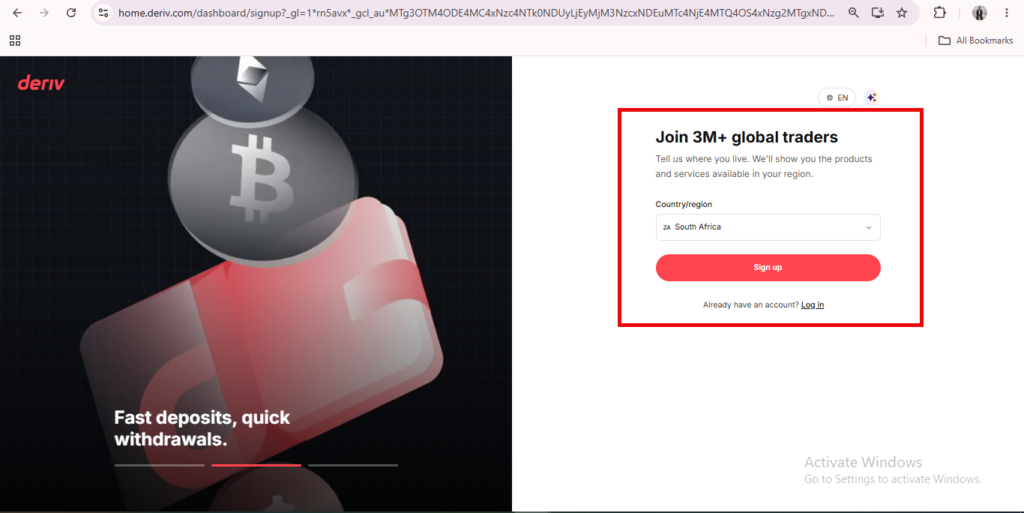

A signup page for Deriv, matching the streamlined Deriv website layout, presents a form to join over 3 million global traders. It features a country selection dropdown and a prominent red “Sign up” button. Bitcoin and folder icons are displayed on the left, alongside text highlighting fast deposits and withdrawals.
A digital ad for Deriv promotes trading synthetic indices 24/7, highlighting volatility and control. Icons show trading benefits, with a red "Start Now" button guiding users through the Deriv registration process. Red and black wavy lines enhance the look.
A digital ad for Deriv promotes trading synthetic indices 24/7, highlighting volatility and control. Icons show trading benefits, with a red “Start Now” button guiding users through the Deriv registration process. Red and black wavy lines enhance the look.

The Footer Holds Support and Legal Information

Scroll to the bottom of the homepage and you’ll find links to the Help Centre, contact options, and regulatory information relevant to your region.
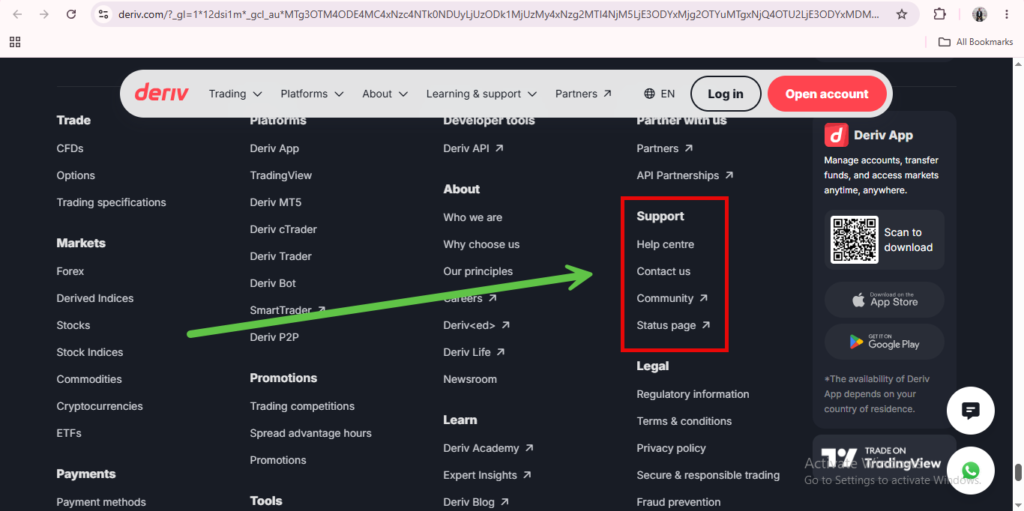
Screenshot of the Deriv website’s footer menu. A green arrow points from “SmartTrader” under Markets to “Support” options—including Help Centre, Contact us, Community, and Status page—outlined in a red box. This visual helps users understand Deriv.com navigation and easily locate key resources from the Deriv home page.

From Home Page to the Deriv Dashboard

Once you log in, the home page’s job is essentially done. Everything moves to the Deriv Dashboard, which becomes your actual working dashboard from that point on.
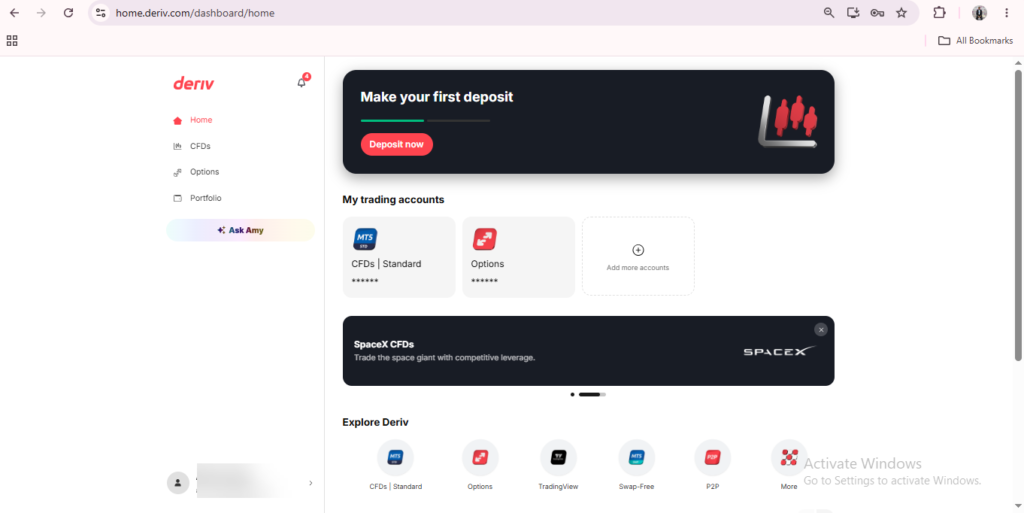
Deriv landing page featuring a “Make your first deposit” banner, trading account options for CFDs and Options, a prominent SpaceX banner, and navigation icons for different features—all set against a clean white background. This Deriv website layout provides users with an intuitive overview of available tools and highlights essential actions to get started efficiently.

If you’re comparing Deriv against other platforms before signing up, this overview from The Forex Affiliate is a useful reference written specifically for people evaluating Deriv as new traders.

A digital ad with the text "Support traders and earn commissions. Partner with a global trading platform." A red arrow rises over a gray globe. A red button below says "Explore Program.
A digital ad with the text “Support traders and earn commissions. Partner with a global trading platform.” A red arrow rises over a gray globe. A red button below says “Explore Program.

By now, the home page shouldn’t feel like a dashboard you’re navigating, it should feel like a starting point you understand at a glance, everything from balance to market movers sitting exactly where you’d expect them. If a page this clean and well-organized has you thinking about the bigger picture like putting your own name behind a platform this good and getting paid for it, here’s where that path actually starts. It’s a lot more straightforward than people assume, and once you’ve seen how the pieces fit together, this is the resource that makes the rest of it click from building an audience to actually turning it into income.

FAQ: Understanding the Deriv Home Page

Do I need an account to browse the Deriv home page? No, the homepage is publicly accessible and mostly informational until you sign up or log in.

Where do I click to start creating an account? The “Sign up” button in the top right corner of the homepage starts the registration process.

What happens to the home page after I log in? You’re redirected to Trader’s Hub, which becomes your main dashboard going forward.

Where can I find support links on the home page? Scroll to the footer, where Help Centre and contact options are listed.

Learn Affiliate Marketing and Earn Online

Leave a Comment

Your email address will not be published. Required fields are marked *

Learn Affiliate Marketing and Earn Online
Scroll to Top
