Your phone number on Deriv plays an important role in account security and verification, whether it’s for two-factor authentication, account recovery, or receiving important alerts. If you’ve switched carriers, lost access to your old number, or simply need to update your contact details, Deriv makes the process quick and straightforward. In this guide, we’ll walk you through exactly how to change your phone number on Deriv, step by step, so your account stays secure and up to date. For broader ways to keep your account secure check the Cybersecurity Infrastructure and Security Agency website.
If you still need a Deriv account, create one here first.
If you’re still learning the account-management flow, see How to Update Your Personal Details on Deriv.
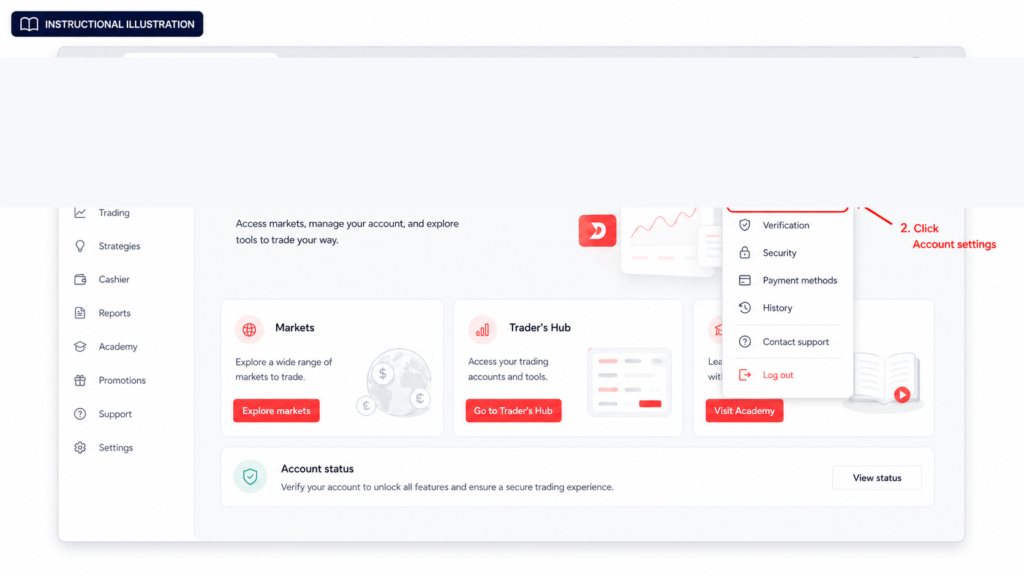
Step 1: Go to Account Settings
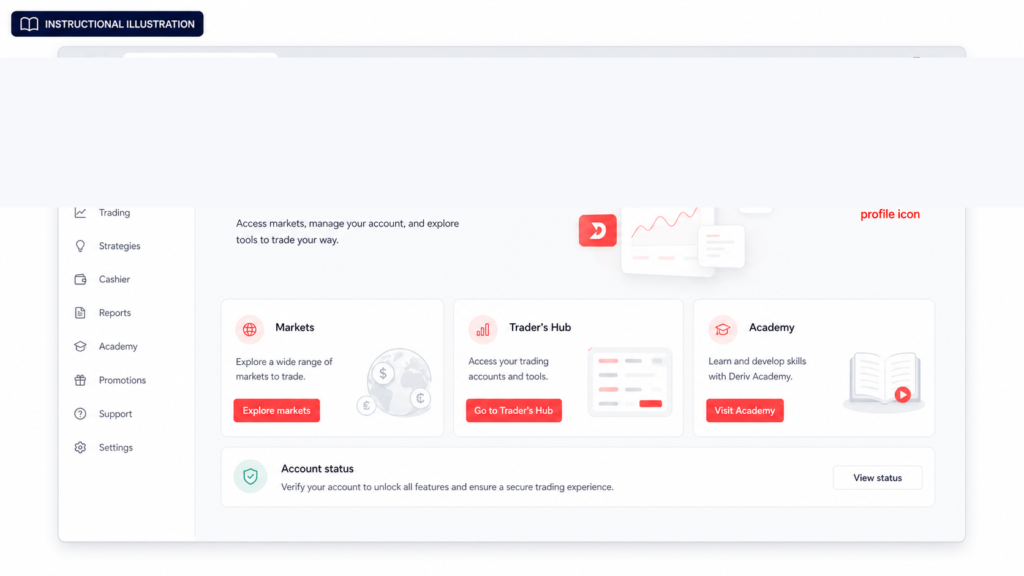
Log into your Deriv account and click on your profile icon in the top right corner, then select “Account Settings”.
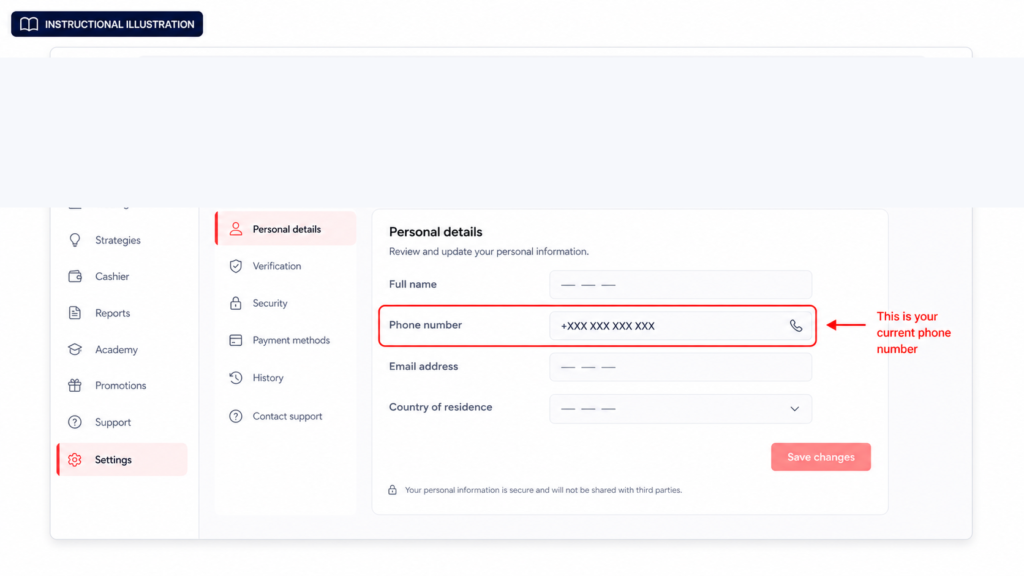
Step 2: Find the Phone Number Section
Inside Account Settings, look under “Personal details” for the phone number currently linked to your account.
Step 3: Check If You Can Edit It Directly
Depending on your account setup, you may be able to edit the phone number field directly and save the change. If this option isn’t available or the field is locked, you’ll need to go through Deriv support instead. If you’re still getting familiar with Deriv’s account settings in general, this guide from The Forex Affiliate is a solid starting point for new traders working through account setup.
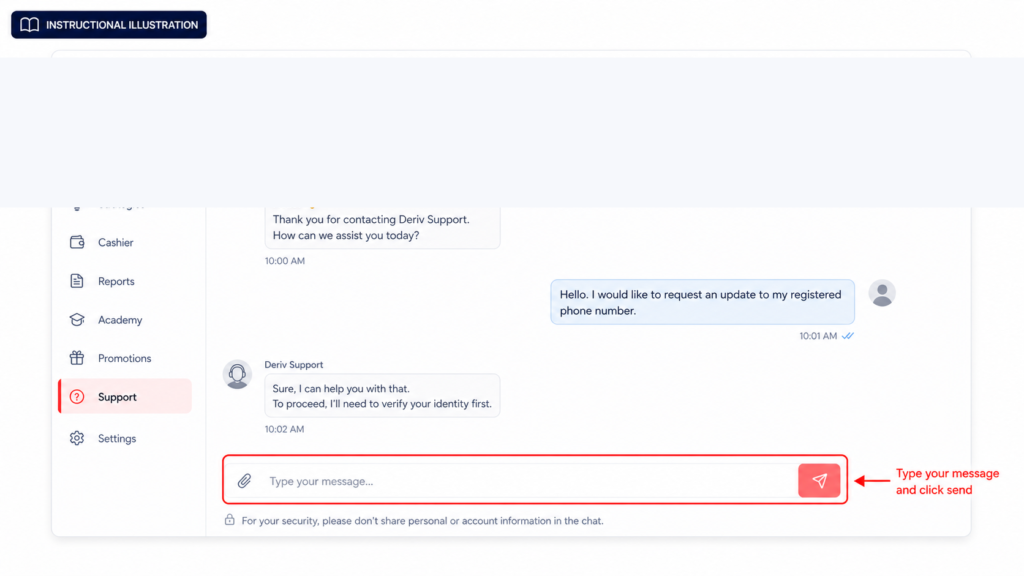
Step 4: Contact Support if Direct Editing Isn’t Available
If the field is locked, open live chat and let the support team know you need to update your registered phone number. They’ll guide you through the identity checks required. Find out all the ways of reaching support in How to contact Deriv support.
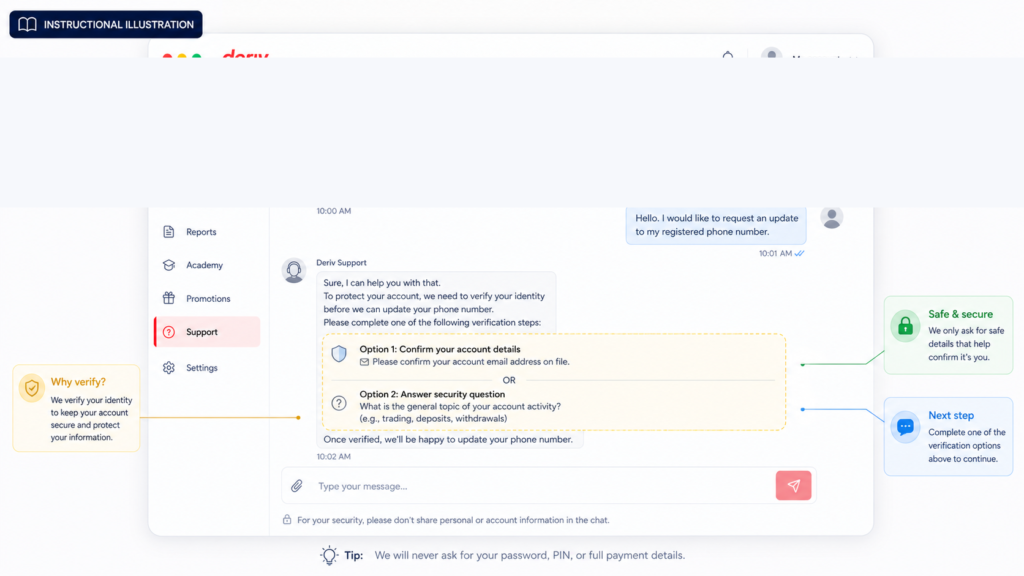
Step 5: Verify Your Identity
Be ready to confirm details like your account number, registered email, or answer security questions, since phone number changes are treated as security-sensitive.
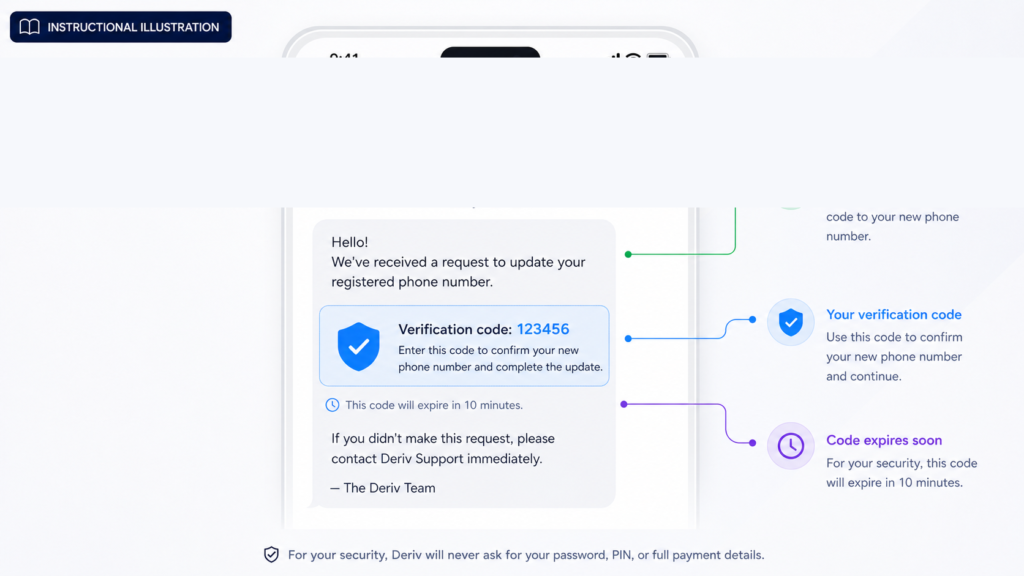
Step 6: Confirm Your New Number
Provide the new phone number you want linked to your account. Deriv may send a verification code via SMS to confirm the number belongs to you before the change is applied.

Step 7: Check Your Account Reflects the Update
Once confirmed, head back to Account Settings and check that your new phone number is showing correctly. You can also follow similar steps through our guide How to change your email on Deriv.
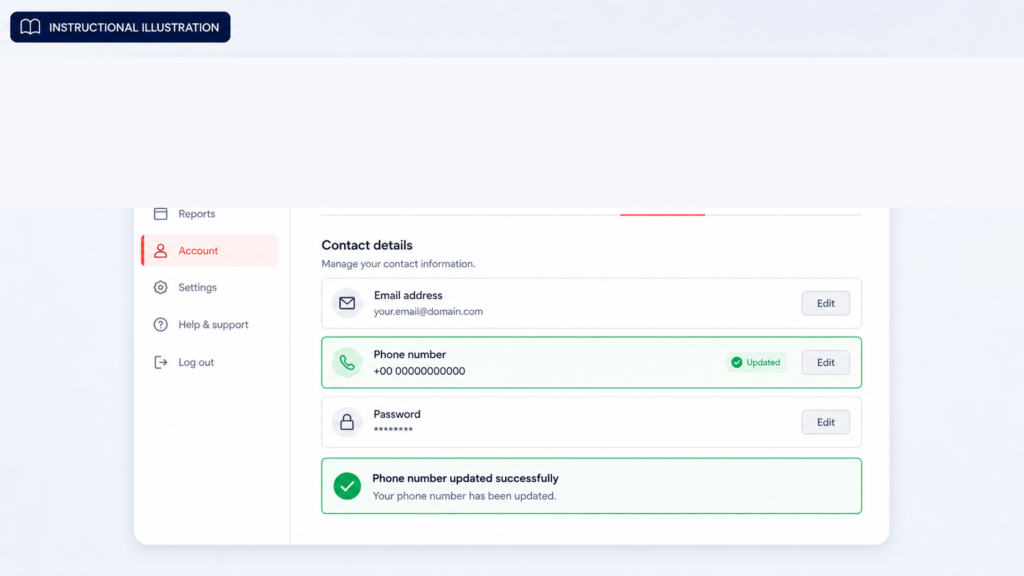
Number Updated
That’s the full process for changing your phone number on Deriv, whether it’s a quick self-service edit or a request handled through support.
Beyond Managing Your Own Account
Once your account details are all set, some users start looking at Deriv from a different angle and that is introducing others to the platform and earning through referrals rather than trading themselves. Deriv’s Partners program is built for exactly this.
For those interested in going further and building a broader online income through affiliate marketing in general, Wealthy Affiliate is designed to teach beginners the fundamentals of building an affiliate marketing business from scratch.

FAQ: Changing Your Phone Number on Deriv
Can I change my Deriv phone number myself, or do I need support? It depends on your account. Some users can edit it directly in Account Settings, while others may need to go through Deriv support if the field is locked.
Will I need to verify my new phone number? Yes, Deriv typically sends an SMS verification code to confirm the new number before the change takes effect.
Does changing my phone number affect two-factor authentication? It can, if your account uses SMS-based verification. Make sure to update your number before your old one becomes inactive to avoid login issues.
How long does a Deriv phone number update take? Self-service edits are usually instant. Requests handled through support depend on identity verification and response times, but are generally resolved quickly.