Deriv doesn’t run on a single platform. It runs on five, and picking the wrong one for your strategy is a common early mistake. Trader, MT5, cTrader, X, and Bot each serve a different kind of trader, from beginners who want simplicity to algorithmic traders who want to automate everything. Understanding what separates them upfront saves you from switching platforms three months in once you realize the one you started on doesn’t fit how you actually trade. Deriv offers several trading platforms, with each designed around different products and trading approaches. Deriv’s Help Centre explains the differences between its digital-options and CFD platforms, making it easier to understand which platform is designed for each type of trading.
If you do not yet have a Deriv Account you can create one here.

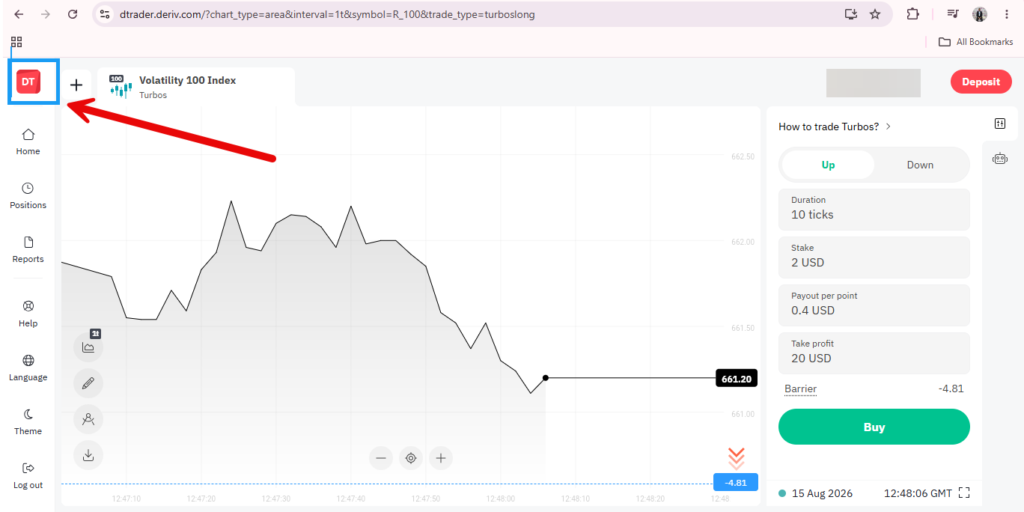
Deriv Trader
Deriv’s own browser-based platform, built specifically around Deriv’s proprietary trade types like Options (Rise/Fall, Higher/Lower, Touch/No Touch, and Ends Between/Ends Outside), Multipliers, Accumulators, Vanilla Options, and Turbo Options. Nothing needs to be downloaded, since it runs directly in the browser, and the interface is deliberately kept simple: a chart, a trade type selector, and a trade panel with just the fields relevant to whichever contract you’ve chosen. Because it’s purpose-built around these specific trade types rather than general CFD trading, it’s generally the platform new users are pointed toward first.
Deriv MT5
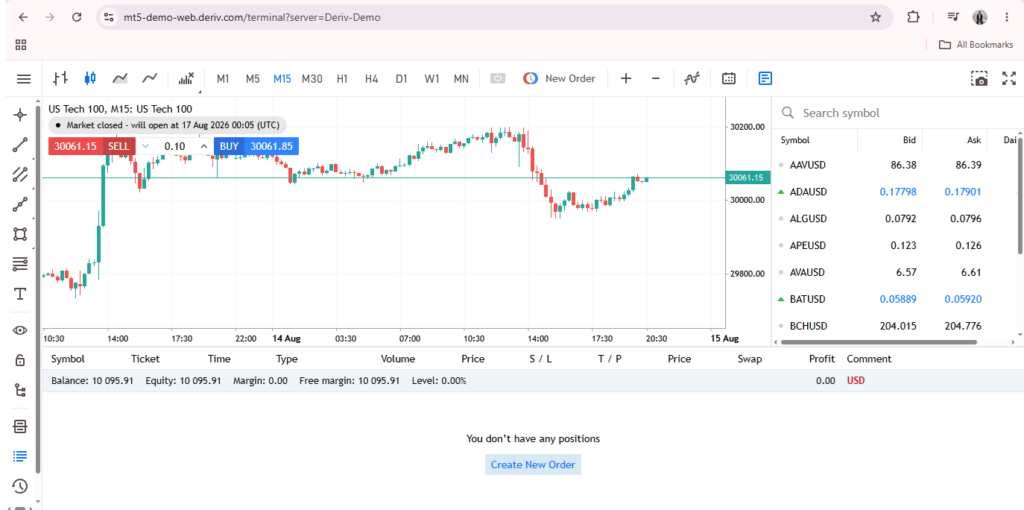
The MetaTrader 5 experience, and the platform with the widest market range Deriv offers. You will get forex, stock indices and individual stocks, commodities, cryptocurrencies, and Deriv’s own synthetic indices, all in one place. MT5 supports several account types (Standard, Financial, Swap-Free, and others depending on region), each with different spreads and instrument access, so the account you choose shapes what you can actually trade. It’s also the platform most associated with advanced charting, a large library of technical indicators, and support for Expert Advisors, which are automated trading scripts. This depth is part of why MT5 tends to suit traders who already have some experience, though nothing stops a beginner from starting here on a demo account.
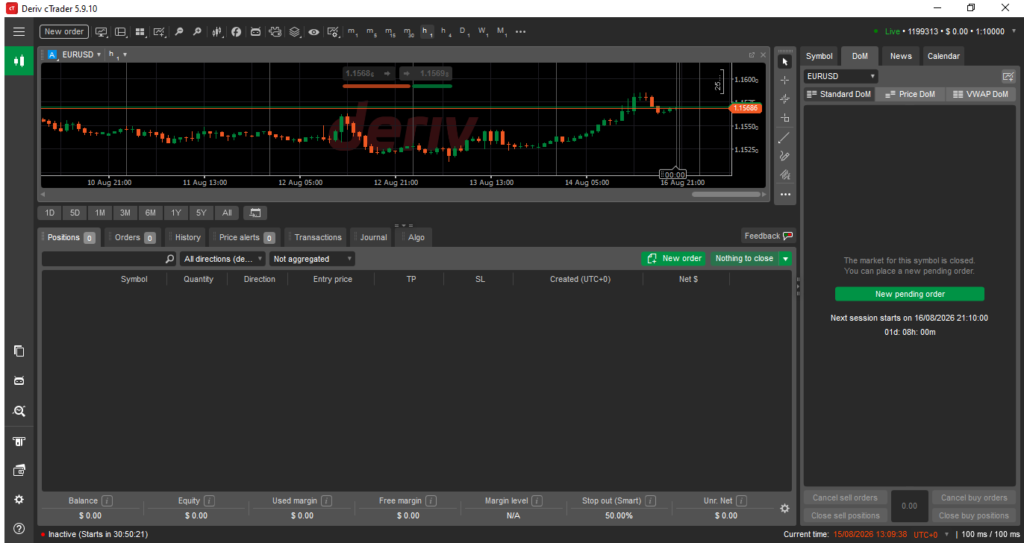
Deriv cTrader
A CFD-focused platform that shares much of MT5’s market range but is built around a cleaner, more modern interface. Its standout feature is copy trading, the ability to follow and automatically mirror the trades of more experienced traders without placing each trade yourself. cTrader also includes a large set of built-in technical indicators and, notably, integrated AI-assisted market analysis tools directly within the platform. It’s generally positioned as a middle ground: more approachable than MT5’s denser layout, while still covering a similarly broad range of markets.

Smart Trader
Deriv’s legacy options trading platform, and the predecessor to Deriv Trader in many respects. It offers a similar range of contract types, but with an older, denser interface that hasn’t been modernized in the way Deriv Trader has. SmartTrader isn’t available on every regional entity. Some EU-regulated accounts, for example, don’t have access to it and are directed to Deriv Trader instead. It remains available largely for continuity, letting existing users who are already comfortable with its layout keep using it rather than being forced to switch.

Deriv Bot
A no-code, drag-and-drop tool for building automated trading strategies without writing any actual code. Rather than a chart and trade panel, Deriv Bot presents a visual workspace of blocks representing conditions, trade parameters, and actions that you connect together to define a strategy’s logic. Once built, a bot can run and place trades automatically based on the rules you’ve set, without needing you to sit and place them manually. Strategies can be saved and reloaded later, and testing on a demo account first is generally recommended before running anything on a real one.

Deriv GO
A dedicated mobile app, built specifically for trading on the move rather than being a scaled-down copy of the desktop platforms. Deriv GO bundles access to several platforms including Deriv Trader, MT5, cTrader, and Deriv Bot into one app, alongside built-in risk management tools like stop loss, take profit, and deal cancellation. Since synthetic indices run continuously, Deriv GO also supports trading these markets on weekends, when traditional markets are closed.
Since each platform suits a different style, it’s worth exploring more than one before settling. Our guide on Understanding the Deriv Homepage covers where all of these actually live on your dashboard, and What Are Trade Types on Deriv? explains what you can actually trade once you’re inside any of them.
Exploring these platforms is one part of getting familiar with Deriv but there’s also a completely separate side built around earning by referring others rather than trading yourself. It’s worth a quick look here if that’s new to you.
FAQ: Deriv’s Trading Platforms
Do I need a separate account for each platform? Each platform generally has its own account setup within Trader’s Hub, though they all draw funding from your Wallets.
Which Deriv platform is easiest for beginners? Deriv Trader is often considered the most straightforward starting point, since it’s built specifically around Deriv’s simpler trade types.
Can I use more than one platform at the same time? Yes, there’s nothing stopping you from having accounts on several platforms simultaneously.
Is Deriv Bot only for advanced users? No, it’s built as a no-code tool specifically so people without a programming background can still automate simple strategies.