Finding yourself locked out of your Deriv account can be stressful, especially if you’re not sure why it happened or how to get back in. Fortunately, Deriv has a clear recovery process in place to help verified traders regain access safely, without compromising account security. In this guide, we’ll walk you through exactly how to recover a locked Deriv account, step by step, so you can get back to trading as quickly as possible. For more on account security you can check the Cybersecurity and Infrastructure Security Agency.
If you still need a Deriv account, create a Deriv account first.
If your account was locked after suspicious activity, How to Secure Your Deriv Account From Unauthorized Access is a useful next read.

Step 1: Identify Why Your Account Is Locked
Deriv accounts can be locked for a few different reasons, including too many failed login attempts, a security review, incomplete verification, or unusual account activity. The message shown on the login screen or in any email from Deriv usually indicates which applies to you.
Step 2: Wait Out a Temporary Lockout
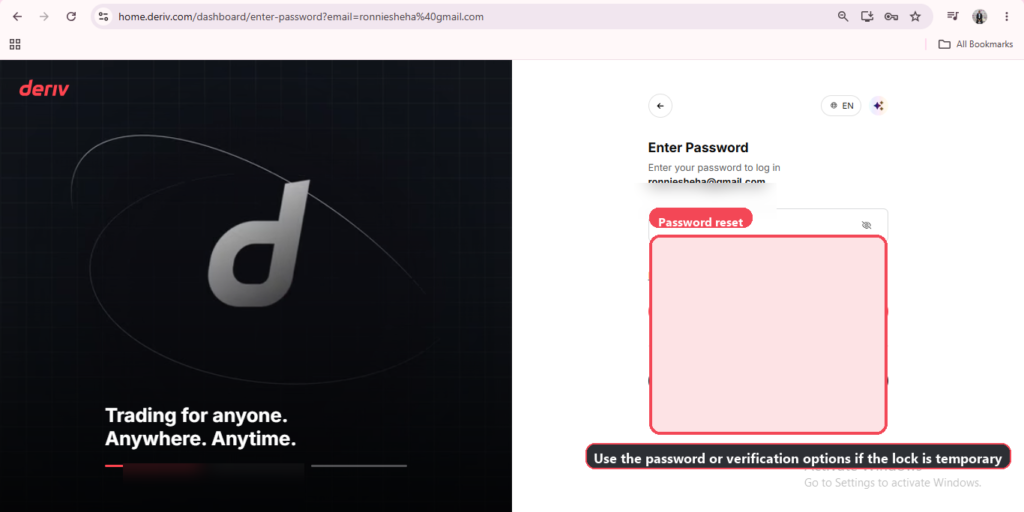
If the lock is due to repeated failed login attempts, it’s often temporary and lifts after a short period. Resetting your password immediately can also restore access without needing to wait.
Step 3: Complete Any Outstanding Verification
Sometimes an account is restricted rather than fully locked, pending outstanding proof of identity or proof of address documents. Check your Account Settings, or the email Deriv sent, for exactly what’s needed.
Step 4: Reset Your Password If You’re Unsure
If you’re not confident your password is correct, or suspect it may have been compromised, resetting it is a safe first step regardless of the lockout reason. If you’re still getting familiar with Deriv’s account and security settings generally, this guide from The Forex Affiliate is a useful reference for new traders.
Step 5: Contact Deriv Support for Security Holds
If your account has been locked as part of a security review, such as unusual login activity or a compliance check, you’ll need to contact Deriv support directly. Be ready to verify your identity, since this step confirms the request is genuinely coming from you.

Step 6: Provide Any Documents Requested
Depending on the reason for the lock, support may ask for additional documents, such as updated identity verification or clarification on recent account activity. Providing these promptly usually speeds up the resolution. You can see here What documents are required to verify a Deriv account.
Step 7: Confirm Access Is Restored
Once the issue is resolved, try logging in again. If you still can’t access your account, follow up with support referencing your previous conversation or any ticket number provided.
Account Recovered
Most Deriv account locks resolve quickly once the underlying cause whether a forgotten password, pending verification, or a security review is addressed directly.
Beyond Recovering Access
Once your account is back up and running smoothly, some users start looking at Deriv from a different angle and that is earning by referring others to the platform rather than trading themselves. Deriv’s Partners program is designed for exactly this.
For those wanting to build a broader online income through affiliate marketing more generally, Wealthy Affiliate is designed to teach beginners the fundamentals of building an affiliate marketing business from scratch.

FAQ: Recovering a Locked Deriv Account
How long does a temporary Deriv lockout last? This varies, but it’s usually short. Resetting your password immediately can restore access without needing to wait it out.
Why would Deriv lock my account for a security review? This can happen after unusual login activity, such as a new device or location, as a precaution to confirm it’s genuinely you accessing the account.
What documents might Deriv ask for during account recovery? This depends on the reason for the lock, but can include updated proof of identity, proof of address, or clarification on recent transactions.
What if I can’t get through to Deriv support? Try both live chat and email, and check the Help Center for any known account access issues, since response times can vary depending on demand.