Logging into MT5 expecting a full list of synthetic instruments and finding an empty or partial Market Watch panel is a frustrating but usually simple problem to fix. Here are the most common causes, in order of likelihood. If an instrument is not visible in MT5, it may simply be hidden from the Market Watch window rather than unavailable on the account. The official MetaTrader 5 guide explains how to manage the symbols displayed in Market Watch.

Before proceeding further ensure that you do have a verified Weltrade account so that you can enjoy a full experience.
Cause 1: Market Watch Is Just Hiding Them
By far the most common cause isn’t a technical problem at all, it’s a display setting. MT5 often shows only a partial symbol list by default. Right-clicking inside Market Watch and selecting “Show All” resolves this in the vast majority of cases without needing to troubleshoot anything further. For the full process of getting instruments properly displayed, see our guide on How to Add Weltrade SyntX Instruments to MT5.

Cause 2: You’re Logged Into the Wrong Account Type
SyntX instruments are only available on SyntX accounts specifically. If you’re logged into a Pro, Premium, or Raw Spread account instead, synthetic instruments won’t appear at all, regardless of any display setting. Double-check the account number shown in MT5 matches the SyntX account you intended to use.

Cause 3: You’re Connected to the Wrong Server
Weltrade typically runs separate live and demo servers, and logging in with the correct account number but the wrong server selection can cause instrument lists to load incorrectly or not at all. When logging in, confirm the server matches what’s shown in your Weltrade Personal Profile for that specific account.

Cause 4: A Slow or Interrupted Connection
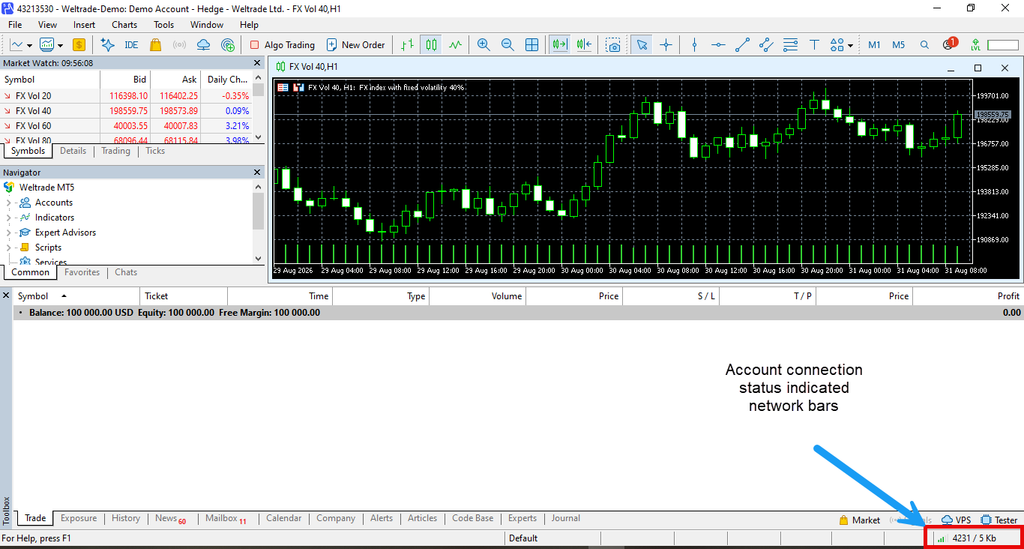
Occasionally, symbols fail to fully populate due to a slow or unstable connection between MT5 and Weltrade’s servers, particularly right after logging in. Waiting a few moments and refreshing Market Watch, or restarting MT5 entirely, resolves this in most cases.
Cause 5: An Outdated MT5 Version
Less commonly, an outdated MT5 installation can cause display or symbol-loading issues, particularly after Weltrade updates its instrument offerings. Checking for and installing any available MT5 update through the platform’s built-in updater is worth ruling out if the more common causes above don’t resolve the issue. For setting up the connection from scratch, see How to Connect Weltrade to MT5.

If Nothing Above Works
If you’ve checked account type, server, connection, and platform version and SyntX symbols are still missing, the most reliable next step is contacting Weltrade support directly. It’s possible there’s an account-specific configuration issue that needs to be resolved on their end rather than something fixable from the MT5 interface alone. Having your account number and a screenshot of what you’re seeing ready before contacting support tends to speed up the resolution considerably, since it saves back-and-forth on the basic details.

Getting Back on Track
Most instances of “missing” SyntX symbols come down to the simplest cause: a hidden Market Watch list rather than an actual account problem.
Still troubleshooting your setup? Log in to your Weltrade account and confirm your SyntX account details match what’s showing in MT5.